Database Migration Strategies: A Developer's Guide
Most junior developers think of migration as a script-writing problem. Senior engineers know it's an architectural decision problem.
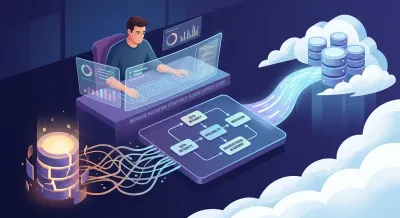
Your application has grown past the stage where the database feels invisible. Queries that used to be fine now contend with real traffic. A cloud move is on the roadmap. A legacy schema keeps leaking business rules into every new feature. Someone says, “We should migrate the database,” and the room gets quiet because everyone knows this isn't a normal refactor.
That moment tests more than SQL skill. It tests whether you can reason about risk, sequence change without breaking production, and protect the one part of the system that the business can't afford to lose: its data.
Most junior developers think of migration as a script-writing problem. Senior engineers know it's an architectural decision problem. The hard part usually isn't copying rows. It's choosing what to move, when to move it, how to prove it still works, and how to get back to safety if it doesn't.
Why Database Migration Is a Career-Defining Skill #
A database migration forces you to think in system terms. You stop asking only, “Can this schema work?” and start asking better questions. What downtime can the business tolerate? Which reports break if one table changes shape? Where does hidden logic live. In the app, in stored procedures, or in ad hoc jobs nobody documented?
That shift matters for your career because it changes how people evaluate you. During a migration, nobody cares that you can write a clean model class if you can't reason about dependencies, failure modes, and rollback paths. When you can guide a migration discussion, you're showing that you understand software as an operational system, not just as code in a repository.
The industry context reflects that change. One forecast says the global data migration market is projected to reach $31.71 billion by 2031, growing at a 12.0% CAGR according to Fivetran's data migration guide. That doesn't just mean more migration projects. It means companies increasingly treat migration as a recurring capability tied to modernization, cloud adoption, and architecture renewal.
What migration reveals about a developer #
A serious migration exposes whether you can:
- Model risk clearly by separating acceptable disruption from unacceptable data loss.
- Translate business constraints into technical sequencing and cutover plans.
- View architecture realistically instead of pretending undocumented dependencies don't exist.
- Operate under uncertainty when production behavior matters more than local correctness.
Practical rule: If you treat a migration as a one-time data copy, you'll miss the real work. The real work is preserving trust while the system changes underneath users.
Developers often become more capable after their first major migration because the experience is unforgiving. It teaches caution, observability, and planning discipline. It also teaches humility. Databases sit at the center of application behavior, analytics, integrations, and support workflows. Changing them safely is one of the clearest signals that you're growing from implementer to engineer.
The Three Pillars of a Successful Migration #
Every migration decision should be judged against three pillars: data integrity, system availability, and architectural alignment. If a proposed approach is fast but weak on any of those, it's usually a bad approach.

Data integrity comes first #
If the migrated system contains corrupted, incomplete, or mis-mapped data, nothing else matters. A migration that stays online but damages records unnoticed is worse than an outage because the failure can hide for days.
Integrity means more than “the import finished.” It means primary data, derived data, constraints, and business meaning still line up. Teams often discover that the same column is interpreted differently by the application, reports, and exports. That's why people who understand relational modeling tend to do better in migration work. If your SQL fundamentals are shaky, spending time with a SQL and relational databases course pays off before you touch production data.
Availability is a product decision #
Users don't experience your migration strategy as a diagram. They experience it as “the app works” or “the app is down.” Availability forces trade-offs. More safety checks often mean more complexity. Faster cutovers often mean more operational risk.
A good engineer doesn't maximize uptime in the abstract. They match the migration shape to business tolerance. An internal admin tool can survive disruption that a customer-facing transaction path can't. That difference should influence architecture from day one.
Architectural alignment prevents expensive rework #
A migration shouldn't merely relocate a bad design. If the target system keeps the same coupling, same hidden logic, and same operational bottlenecks, you've moved the problem without improving it.
Use this pillar to ask harder questions:
- Target-state fit: Does the destination support the performance and scaling behavior you need?
- Boundary cleanup: Can some logic leave triggers or stored procedures and move into clearer application services?
- Operational model: Can your team monitor, back up, and troubleshoot the new setup with confidence?
A successful migration preserves present-day correctness while making the future system easier to operate.
These pillars help junior developers move past tool obsession. Tools matter, but they're downstream from architecture. Start with the guarantees you need. Then choose the workflow that can deliver them.
Comparing Core Database Migration Strategies #
Think about moving homes. You can pack everything into trucks and relocate in one exhausting day. You can move room by room over time. Or you can keep access to both places while gradually shifting what you use each day. Database migration strategies work the same way.
Historically, migration work clusters around three patterns: big-bang, phased or trickle, and parallel or hybrid. The right choice depends on downtime tolerance, system complexity, and operational readiness. It isn't just about what technology you own. According to Wednesday's database migration guide, a phased migration using Change Data Capture (CDC) is often the most effective pattern for minimizing downtime.
Big-bang migration #
This is the all-at-once move. You stop writes, move the data, point the application at the new database, and restart traffic.
Big-bang works when the system is small enough, the dependency graph is manageable, and the business can tolerate a hard cutover window. It's attractive because the plan looks simple on paper. There's one source of truth before the switch and one after it.
The problem is that simplicity in planning often becomes fragility during execution. If validation reveals a serious issue after cutover, you're already committed. That makes big-bang migrations operationally stressful.
Phased or trickle migration #
This is the room-by-room move. You copy an initial dataset, keep the source system live, and replicate ongoing changes as you migrate bounded pieces of the system.
This pattern is usually better for larger systems because it gives the team time to observe behavior, validate assumptions, and limit the blast radius of mistakes. It also supports dependency-aware sequencing. You don't have to move everything just because one table is ready.
Phased migration does demand discipline. Teams need clear boundaries, careful data reconciliation, and a cutover model that avoids confusion about where writes belong at each stage.
Parallel or hybrid migration #
This pattern keeps old and new systems running together while traffic shifts gradually. It's often the right answer when downtime is expensive and confidence must be built incrementally.
Parallel runs are powerful because they let engineers compare behavior under real load before committing fully. They're also demanding because dual operation creates more moving parts. Monitoring, consistency rules, and failure handling all get harder.
Choose the strategy your team can operate well, not the one that looks smartest in an architecture diagram.
Migration strategy trade-offs #
| Strategy | Downtime | Risk Level | Complexity | Best For |
|---|---|---|---|---|
| Big-bang | Higher during cutover | Higher | Lower to plan, harder to recover | Smaller systems, simpler dependencies, acceptable outage windows |
| Phased or trickle | Lower | Lower when well-sequenced | Moderate to high | Complex applications, dependency-heavy systems, controlled modernization |
| Parallel or hybrid | Lowest user-visible disruption | Lower at cutover, higher operationally during transition | High | Critical systems where confidence, validation, and gradual traffic movement matter most |
A practical selection mindset #
Use a simple filter when choosing among database migration strategies:
- Downtime tolerance: If you can't take the system offline comfortably, big-bang is already suspect.
- Dependency shape: If reports, jobs, and services are tightly coupled, phased migration gives you room to untangle them.
- Operational maturity: If the team can't monitor dual systems well, a parallel run may create more danger than safety.
- Rollback realism: If rollback would be chaotic after a full switch, avoid strategies that force an irreversible leap.
The mistake many teams make is debating strategy in abstract terms. Don't ask which model is best in general. Ask which model fits your actual constraints and your team's ability to execute cleanly.
Your Migration Planning and Execution Playbook #
The migration usually succeeds or fails before the first production row moves. Planning quality determines whether execution feels controlled or chaotic.

Successful planning requires a full inventory of schemas, ETL pipelines, reports, and user access patterns because hidden dependencies determine what can move and when, as explained in Hakkoda's data migration strategy guidance. The useful idea here is decision-quality prioritization. Don't start by moving tables just because they look central. Start by understanding which migration slices create business value without breaking everything around them.
Start with discovery, not movement #
A mature planning pass maps more than tables. It should surface:
- Schema dependencies: Foreign keys, reference tables, views, stored procedures, and triggers.
- Data movement paths: ETL jobs, batch exports, imports, and any replication already in place.
- Usage patterns: Which endpoints, dashboards, cron jobs, and internal tools hit which data.
- Ownership gaps: Who can approve changes, validate outputs, and sign off on cutover behavior.
Junior developers often underestimate the work involved. The long tail is rarely in the ORM models. It's in reports, scripts, support workflows, and one-off integrations.
Sequence by business value and feasibility #
Once you know the dependency graph, choose slices that are both meaningful and realistic. That often means avoiding the most central database objects early, even if they look important.
A practical sequence tends to favor units that have clear boundaries, limited downstream impact, and easy validation. In many systems, “migrate the database first” is the wrong instinct. Sometimes the right first move is extracting hidden logic from stored procedures or putting stricter access boundaries around legacy behavior.
Architect's lens: The first thing you migrate should reduce uncertainty, not prove bravery.
Tooling should match the migration shape #
Tool choice comes after strategy. Built-in database utilities can be enough for one-off copies or schema exports. Replication and CDC tooling become more relevant when the source must stay live. For teams working in Microsoft environments, this overview of tools for SQL Server migrations is useful because it frames tool selection around workflow, cutover style, and operational trade-offs instead of marketing checklists.
For application teams, version control matters just as much as migration tooling. Keep migration plans, runbooks, validation queries, and rollback procedures alongside code. If your team is still informal about that discipline, this guide on using Git for version control is worth reviewing before a major change window.
A note for Django developers #
Django's migration framework is strong for schema evolution inside an application lifecycle. It helps track model changes, generate migration files, and keep environments consistent.
It is not, by itself, a complete answer for large production data migration. If you're changing databases, coordinating live replication, or validating cutovers across services, you'll need operational tooling and runbooks beyond makemigrations and migrate. Treat framework migrations as one layer in the plan, not the plan itself.
Testing Validation and Confident Rollbacks #
Most migration anxiety comes from two questions. How do we know the new system is correct while production traffic is still live? And if we're wrong, can we reverse course without panic?

Practical zero-downtime validation relies on shadow traffic, dual reads, and feature flags, allowing teams to compare results between old and new databases under real workloads before full switchover, as described in LaunchDarkly's zero-downtime migration practices. The key mindset shift is that migration success is an observability problem, not only an ETL problem.
Validate under real behavior #
Synthetic tests matter, but production behavior reveals the edge cases that planning missed. Good validation techniques include:
- Shadow traffic: Send live requests to the new path without exposing its results to users.
- Dual reads: Read from both old and new systems, then compare outputs for important paths.
- Feature flags: Switch cohorts or features gradually instead of exposing every user at once.
- Cohort-based cutovers: Move low-risk user groups or internal users before broad traffic.
- Rehearsal runs: Practice the migration sequence in an environment that mirrors production closely.
These techniques don't remove risk. They make risk visible while it's still containable.
Define what counts as a pass #
Validation fails when teams say “looks good” instead of defining concrete checks in advance. You need a go or no-go standard before the cutover window begins.
That standard usually includes:
- Data correctness: Key records, relationships, and business-critical queries return expected results.
- Application behavior: Read and write paths work across the services that matter most.
- Performance sanity: The target system behaves acceptably under expected workload patterns.
- Operational visibility: Logs, metrics, traces, and alerts tell the team what's happening quickly.
If you test APIs during migration windows, using repeatable request collections helps avoid guesswork. A workflow like this guide to using Postman for API testing can make cross-environment verification more systematic.
Rollback has to be rehearsed #
A rollback plan isn't a paragraph in a document. It's a timed, practiced sequence with clear triggers. If validation crosses a failure threshold, the team shouldn't debate from scratch. They should execute.
That usually means deciding in advance:
- Who calls rollback
- What conditions trigger it
- How traffic returns to the old system
- How write divergence is handled
- How stakeholders are informed
Backups remain part of this safety net, but backup strategy needs its own rigor. If you're working in Azure SQL environments, Server Scheduler's backup best practices offer practical guidance on planning recoverability so rollback isn't just theoretical.
The best rollback plan is boring. Everyone knows the steps, the commands, the decision owner, and the communication path.
When teams skip this work, they confuse optimism with confidence. Professional confidence comes from observability, rehearsal, and a reversible path.
Common Migration Pitfalls and Lessons Learned #
The ugliest migration failures usually don't come from one dramatic bug. They come from ordinary assumptions that nobody challenged.

The dependency nobody counted #
A team migrates the main application schema and feels ready for cutover. The app starts. Core pages work. Then finance reports fail because an old reporting job still expects legacy column names. Support can't investigate customer issues because their internal admin script hits an outdated replica.
This happens because teams inventory the visible system, not the whole system.
A safer habit is to ask, “Who reads this data besides the application?” That question catches more migration risk than another round of syntax review.
The performance surprise #
A query can be correct and still be unacceptable in production. New indexes behave differently. Execution plans change. Cross-region latency appears where local testing looked fine. The result is a migration that passes correctness checks but degrades user experience.
Teams avoid this by validating workload behavior, not just record counts. Migrations fail in the gap between “the rows are there” and “the system still feels fast enough.”
The rollback that existed only in a document #
This is common. The team writes a rollback section, feels responsible, and never rehearses it. During cutover, a serious issue appears. Suddenly basic questions have no agreed answer. Which writes need replay. Who decides to revert. How long can the business wait before the old system becomes stale.
That's not a rollback plan. That's wishful thinking.
The video below is a useful complement because it reinforces how easily migration complexity expands once production realities enter the picture.
The communication gap #
Engineers sometimes treat migration as a technical event and forget that other teams experience it as a business event. If support, analytics, operations, or internal users don't know what's changing, they misclassify expected behavior as incidents or miss real problems because nobody told them what to watch.
Migration quality depends as much on coordination as on code.
The strongest teams communicate in plain language. What changes, when it changes, what might look different, who to contact, and what rollback means for everyone involved.
Conclusion From Task to Core Competency #
Database migration is one of the clearest places where software engineering stops being mostly about implementation and becomes mostly about judgment. The code matters, but the bigger test is whether you can protect correctness, control risk, and move a system forward without losing trust.
That's why database migration strategies are such a useful lens for growth. They force you to think about architecture as a series of trade-offs instead of a set of preferences. They make downtime tolerance, dependency analysis, validation design, and rollback planning feel concrete. They also teach a lesson that applies far beyond databases: the quality of a system change is measured by how safely people can absorb it.
Junior developers often ask when they start becoming senior. One answer is this. It starts when you can look at a migration proposal and evaluate not just whether it's technically possible, but whether it's operationally responsible.
If you learn to inventory dependencies carefully, choose migration patterns that fit the business, validate under real traffic, and rehearse reversibility, you're building more than delivery skill. You're building credibility. Teams trust engineers who can change critical systems without gambling on luck.
That's what makes migration a core competency. It's not a rare project phase. It's a concentrated exercise in architectural thinking.
If you want to build the backend foundations that make topics like schema design, SQL, APIs, version control, and production-oriented engineering easier to reason about, Codeling offers a structured hands-on path with browser-based coding exercises and real project work that mirrors how backend developers learn by building.