Your 2026 Computer Science Roadmap: 7 Best Paths to Learn
If you're overwhelmed, that's normal. This guide cuts through the noise by treating each computer science roadmap as a distinct path, with clear trade-offs, best-fit learners, and advice on what is effective.
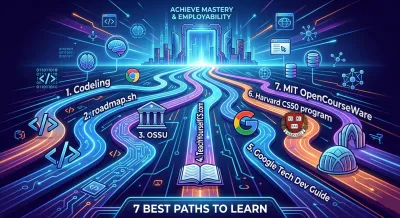
Searching for a computer science roadmap usually starts with the wrong question. The common question is, “What should I learn first?” when the harder and more useful question is, “What kind of learner am I, and what kind of developer am I trying to become?” That gap is why so many roadmap lists feel useless after the first hour. They show topics, not a path you can follow.
A roadmap isn't just a sequence of subjects. It's a learning philosophy. Some paths assume you want academic rigor. Some assume you need job-ready projects fast. Others assume you're self-directed and disciplined enough to assemble your own curriculum from books, lectures, and assignments.
The field itself has always had multiple lanes. A common historical starting point is Alan Turing's 1936 milestone and the later emergence of computer science as a discipline, which shows how the field moved from theory to a recognized academic area over roughly 25 years. That split still shapes modern learning. Some roadmaps start with theory first. Others start with software construction and circle back.
If you're overwhelmed, that's normal. This guide cuts through the noise by treating each computer science roadmap as a distinct path, with clear trade-offs, best-fit learners, and advice on what is effective.
1. Codeling #

Codeling fits people who don't need more content. They need a sequence, pressure to practice, and work that looks like real software development. Its philosophy is outcome-first. Learn enough theory to build, then build enough to expose what theory you still need.
That matters because modern roadmaps increasingly lean toward production systems. Traditional curricula still cover broad foundations, but practical paths now put more weight on Linux, version control, HTTP, security, cloud, databases, concurrency, and system design because those are the skills that show up in backend work and self-taught mastery paths alike, as reflected in San Francisco State University's computer science roadmap and related curriculum framing.
Why this path works #
Codeling uses browser-based exercises with instant feedback, then extends that work into local projects that mirror an actual developer workflow. That's a better setup than passive lecture-heavy platforms if your real goal is to ship code, debug environments, use Git properly, and produce something a recruiter can inspect on GitHub.
The curriculum is tightly centered on Python backend development. It moves through fundamentals, OOP, data structures and algorithms, Git and GitHub, Linux command line, APIs with Django Ninja, testing, deployment-minded thinking, and LLM-related engineering. If you want the shortest line from “I can write basic code” to “I can build and explain a backend service,” that's a strong shape.
For readers trying to map Python skills into a broader plan, Codeling's own Python developer roadmap article is useful because it connects language learning to backend architecture and employable workflows.
Practical rule: If a roadmap doesn't force you to create running projects, commit code, and debug your own mistakes, it won't prepare you for backend work.
Trade-offs you should know #
Codeling is focused. That's the strength and the limitation. If you're aiming for frontend-heavy roles, deep computer architecture, or formal credentials, this isn't the broadest path.
A second issue is transparency. The site offers a free demo, which is good, but pricing details aren't clearly published. You'll need to test the demo or contact them directly if cost is a deciding factor.
- Best for career switchers: You get structure without having to invent your own syllabus.
- Best for backend-focused learners: The path stays close to APIs, databases, testing, and scalable application design.
- Less ideal for breadth-first learners: If you want to explore many languages or theory-heavy subfields first, you'll feel boxed in.
What works here is the discipline of building end-to-end systems early. What doesn't work for some learners is the narrower specialization. If your goal is becoming a backend engineer, that specialization is an advantage, not a flaw.
2. roadmap.sh #

roadmap.sh is the visual-overview philosophy. It doesn't teach you in depth. It shows you the territory. That sounds modest, but it's exactly what many beginners need before they commit to books, courses, or projects.
The biggest value is orientation. You can see how programming fundamentals connect to data structures, operating systems, networking, databases, and adjacent tracks without reading ten different blog posts. For people drowning in advice, that map lowers anxiety quickly.
Where it helps, and where it doesn't #
The site is strong when you need sequence and scope. It's weak when you need accountability. There are no graded assignments, no instructor pressure, and no built-in mechanism that forces you to convert boxes on a chart into working skills.
That's why I treat roadmap.sh as a planning layer, not a complete computer science roadmap. It pairs well with projects, textbooks, or a structured platform. On its own, it's easy to confuse familiarity with progress.
If you're still sorting out the difference between core CS and day-to-day software building, this comparison of computer science vs. programming helps frame what roadmap.sh is showing you.
The best use of roadmap.sh is to decide what to ignore for now. A roadmap that tries to make you learn everything at once becomes a distraction.
- Use it when you're lost: The visual layout gives you a fast picture of what's foundational versus specialized.
- Use it with another system: Pair it with a course, book stack, or project plan.
- Don't use it as a sole curriculum: Checkboxes don't replace implementation, debugging, or design work.
roadmap.sh is ideal for self-directed learners who already know how they like to study. It's less effective for people who need external structure to keep moving.
3. OSSU #

OSSU is the degree-without-enrollment philosophy. It tries to answer a serious question: if you want a university-style computer science education but don't want to enroll in a formal program, what should that path look like?
Its strength is coherence. Instead of random courses stitched together by search results, you get prerequisites, core CS, advanced topics, and a final project mindset. That makes it one of the few self-study paths that feels academically intentional.
Who should pick OSSU #
Choose OSSU if you want rigor and don't mind moving slowly. It rewards patience, note-taking, and sustained concentration. It doesn't reward learners who need constant motivation, social pressure, or quick wins.
This is a better fit for someone who wants to understand why systems work, not just how to use frameworks. It also suits engineers who feel their practical experience has holes in algorithms, systems, or computational theory and want to backfill them properly.
The downside is obvious. OSSU asks a lot from you. You have to maintain momentum across third-party resources, shifting course links, and long stretches where progress feels academic rather than immediately job-relevant.
- Strong fit for serious self-learners: The curriculum reduces guesswork.
- Strong fit for theory-minded developers: It builds durable foundations before specialization.
- Weak fit for urgency: If you need a portfolio and interview prep fast, this path can feel too broad.
OSSU works when you want your self-study to resemble a university education. It doesn't work well if you're secretly hoping for a lightweight shortcut.
4. TeachYourselfCS.com #

TeachYourselfCS.com follows the depth-over-volume philosophy. Instead of dumping endless resources on you, it picks a small number of strong books and courses across core areas and tells you, plainly, where to spend your effort.
That's refreshing because most roadmap content has the opposite problem. It over-lists topics and under-explains what deserves deep study. TeachYourselfCS is opinionated enough to save you from endless comparison shopping.
The real advantage #
This path pushes you toward durable understanding. If you work through its recommendations diligently, you'll come away with stronger mental models for systems, algorithms, architecture, networking, databases, and programming languages.
That kind of depth matters when you're designing software rather than just assembling it. Architecture decisions, performance trade-offs, and debugging across layers all get easier when you've studied the internals, not just the APIs.
For learners who need a better on-ramp into one of the hardest core topics, this primer on data structures and algorithms for beginners can make the first step less intimidating before you dive into heavier material.
One hard truth: A serious roadmap gets easier when you stop chasing novelty and reread foundational material until it sticks.
The cost of this philosophy #
Minimalism doesn't mean ease. Many of the recommended resources are demanding textbooks, and some require purchase or library access. The site also doesn't function like a course platform. You build your own study rhythm, solve your own accountability problem, and decide when “good enough” understanding is enough.
- Best for thoughtful learners: It reduces noise and points to strong canonical material.
- Best for long-term growth: You build knowledge that's useful beyond the current tool cycle.
- Less ideal for hands-on-only learners: If you need frequent implementation checkpoints, supplement with projects.
TeachYourselfCS is a mature roadmap. It assumes you can delay gratification and keep showing up when the material gets hard.
5. Google Tech Dev Guide #

Google Tech Dev Guide is the employability-first philosophy. It doesn't pretend every learner needs the same level of theoretical breadth. It leans toward practical foundations, algorithm practice, and job readiness.
That's a valid stance. Plenty of learners don't need a full academic sweep right away. They need enough CS to write better code, pass technical screens, and understand the systems they're building.
Why this philosophy matches current demand #
Developer workflows are shifting toward AI-assisted engineering, and tooling preferences are changing with them. In Stack Overflow's 2025 survey recap, 84% of developers use or plan to use AI tools, up from 76% in 2024, while Python reached 57.9% adoption. If you're building a roadmap for backend, data, and AI-adjacent work, that points to a practical stack: Python, Git, Linux, testing, and APIs.
Google Tech Dev Guide aligns well with that mindset because it treats CS fundamentals as a means to better engineering outcomes. You can use it to sharpen complexity analysis, data structures, and problem-solving while still keeping an eye on hiring expectations.
- Good for interview prep: The structure supports algorithm and programming practice.
- Good for pragmatic learners: It complements projects or a degree program well.
- Less good for deep theory: It's not the place to build a full university-style foundation by itself.
This path works best when your question is, “How do I become useful and hirable?” It works less well when your question is, “How do I recreate a complete academic CS education?”
6. Harvard CS50 program #

CS50 follows the guided challenge philosophy. It gives you polished instruction, meaningful assignments, and enough rigor to make beginners take the work seriously. That's a hard balance to strike, and CS50 generally does it well.
Many learners need a structured first punch in the face. Not cruelty. Just enough difficulty to break the illusion that software development is memorizing syntax. CS50 is good at teaching that programming is problem-solving under constraints.
Why so many people start here #
The main advantage is momentum. You aren't left staring at a giant syllabus with no idea where to begin. You get a defined course, deadlines or pacing options depending on the format, and projects that make abstract ideas tangible.
The follow-on courses also help. If you finish CS50x and continue into Python, web, SQL, AI, or cybersecurity tracks, you can build a reasonably practical progression without reinventing your study plan every month.
Its limitation is coverage. CS50 is an excellent gateway, but it isn't a complete computer science roadmap by itself. You'll still need to decide how thoroughly to study operating systems, networking, databases beyond application use, architecture, and advanced theory.
A first course should make you uncomfortable in a productive way. If it feels effortless, it's probably too shallow.
CS50 is best for beginners who want a serious start without jumping straight into a full self-designed curriculum. It's less suited to learners who already know the basics and need a more specialized backend or systems path.
7. MIT OpenCourseWare #

MIT OpenCourseWare represents the archive-and-assemble philosophy. It gives you serious material. What it doesn't give you is a hand-holding sequence. That's both the appeal and the risk.
If you're disciplined, OCW is one of the richest sources available. Lecture notes, assignments, exams, and course pages let you build a path that feels close to a formal curriculum. If you're not disciplined, you'll spend weeks “collecting materials” and very little time mastering them.
Best use of OCW #
Use OCW when you already know your gaps. Maybe you need algorithms, computer architecture, distributed systems, or systems programming and want strong material without paying for another platform. In that case, it's excellent.
It's also a strong supplement to a project-driven roadmap. Build applications somewhere else, then use OCW to deepen the theory behind bottlenecks, memory behavior, concurrency, or protocol design.
One broader reason this matters is access. Many learners searching for a computer science roadmap don't just need topic lists. They need a path that is realistically reachable. Reporting on CS access has highlighted how many schools still lack required offerings, trained teachers, and clear standards, which leaves beginners without a reliable first step, as discussed in Technical.ly's reporting on access to computer science education.
- Best for independent learners: You can go deep in almost any CS subfield.
- Best as a supplement: Pair it with projects or another structured roadmap.
- Hard for beginners: Too much freedom becomes paralysis fast.
MIT OCW rewards self-direction. It punishes indecision. That's the trade-off.
7 Computer Science Roadmaps Compared #
| Item | 🔄 Implementation Complexity | ⚡ Resource Requirements | 📊 Expected Outcomes | 💡 Ideal Use Cases | ⭐ Key Advantages |
|---|---|---|---|---|---|
| Codeling | Medium, guided, project-based with optional local setup | Moderate, browser demo + local dev tools; pricing unclear | ⭐⭐⭐⭐, portfolio-ready backend projects and production workflows | Career switchers, backend upskilling, portfolio builders | Hands-on validation; two modes (zero-setup + local); employer‑focused skills |
| roadmap.sh, Computer Science roadmap | Low, visual checklist and milestones | Very low, free, minimal setup | ⭐⭐, high‑level scope and progress tracking, no formal assessment | Quick planning, mapping learning gaps, combining with courses | Concise visual map; community maintained; free PDFs |
| OSSU, Computer Science curriculum | High, degree‑like sequence requiring long-term planning | Low cost (free MOOCs) but high time commitment | ⭐⭐⭐, deep, university‑level coverage if followed fully | Self‑learners seeking comprehensive, degree‑style CS path | Cohesive end‑to‑end plan; rigorous materials; structured order |
| TeachYourselfCS.com | Medium, topic‑by‑topic self‑study using recommended texts | Low–Moderate, textbooks (may cost) and time for reading | ⭐⭐⭐, strong theoretical foundation with curated resources | Learners prioritizing depth and foundational understanding | Opinionated minimal list; reduces decision fatigue; classic sources |
| Google Tech Dev Guide | Low–Medium, curated path linking external resources | Low, free guidance, relies on third‑party materials | ⭐⭐⭐, practical/job‑readiness focus and interview prep | Interview preparation, supplementing coursework or bootcamps | Industry‑curated; practical exercises; educator/learner sections |
| Harvard CS50 program | Medium, structured, project-based courses (multiple tracks) | Moderate, free audit; optional paid certificates; time for projects | ⭐⭐⭐⭐, polished instruction and hands‑on project experience | Beginners wanting a strong, project‑based introduction | Polished materials; large community; clear progression across courses |
| MIT OpenCourseWare (OCW) | High, assemble your own rigorous, MIT‑style path | Low cost but high time and planning; no credit | ⭐⭐⭐⭐, world‑class materials suitable for deep mastery | Self-directed learners seeking academic rigor and breadth | Extensive catalog; lecture notes/assignments/exams from MIT |
From Roadmap to Reality Your Next Step #
The wrong way to use a computer science roadmap is to treat it like a collectible. Bookmark seven of them, compare them for a week, then start none of them. That behavior feels productive, but it isn't. Skill comes from repetition, debugging, architecture decisions, and finishing things that are slightly beyond your comfort zone.
The right way is to choose a path that matches your current constraint. If you need structure and portfolio work, pick a practice-first route. If you want broad intellectual depth, choose an academic or book-driven route. If you're still trying to understand the field, start with a visual map and attach real work to it immediately.
There isn't one best roadmap because there isn't one best objective. Some readers need backend employability. Some want university-level foundations. Some need a sane first step after years of fragmented tutorials. Those are different problems, so they require different paths.
One useful reality check comes from the job market around data, AI, and backend work. Projections for the data science platform market point to strong expansion, including one forecast of growth from USD 177.6 billion in 2025 to USD 2,266.8 billion by 2035, implying a 29.0% CAGR. Forecasts aren't guarantees, but they do reinforce a practical lesson: backend, data, and AI skills are increasingly connected. A roadmap that combines programming fundamentals, APIs, data handling, testing, and system thinking is closer to where real engineering work is heading.
History says the same thing in a different way. During the dot-com era, Stanford reported that from 1997 to 2003, computer science graduates rose by an average of 15% per year after an earlier decline had flattened by 1994. When demand changes, roadmaps change with it. That's why modern learning paths include not just algorithms and languages, but systems, networking, software engineering, and workflow skills.
Pick one roadmap. Commit for long enough that boredom, friction, and confusion show up. Then keep going. Your goal isn't to finish a map. It's to become the kind of developer who can design, build, test, and explain software with confidence.
If you want a roadmap that doesn't stop at theory and gets you building backend projects, Codeling is a strong place to start. It gives you structured Python learning, hands-on exercises, local project workflows, and portfolio-ready work that maps directly to backend engineering and modern API development.