Master if statement python for Clean, Efficient Code
When you get better at if statements, you’re not just getting better at Python. You’re learning how to shape control flow so other people can understand it, test it, and safely change it later.
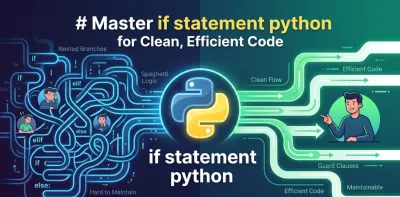
You’re probably here because your Python code works, but it doesn’t feel solid. A small script turned into a route handler, then into validation logic, then into a pile of nested branches that nobody wants to touch. That’s a normal stage in learning backend development.
The if statement python beginners meet on day one is the same tool senior engineers rely on in production. The difference isn’t syntax. It’s judgment. Good developers use conditionals to express intent, protect invariants, and keep failure paths obvious. Weak conditionals hide business rules inside clever one-liners and deep indentation.
When you get better at if statements, you’re not just getting better at Python. You’re learning how to shape control flow so other people can understand it, test it, and safely change it later.
Beyond True and False Thinking Architecturally with Python If Statements #
Most developers hit the same wall. They start with a clean if, add another branch, then another, then a nested check inside a nested check, and suddenly the function looks like a staircase falling to the right.

That’s not a beginner failure. It’s a design signal. When conditional logic gets messy, the problem usually isn’t that you need more if statements. It’s that the code is trying to do too many jobs at once.
Conditionals are architecture #
In backend systems, conditionals decide whether a request is valid, whether a user is authorized, whether a cache result is acceptable, whether a fallback should run, and whether the system should fail fast or recover. Those choices shape behavior more than most classes or helper functions.
A useful way to think about an if statement is this:
- It encodes a decision boundary
- It reveals what the code cares about
- It exposes hidden assumptions
If your conditions are hard to read, your design is hard to trust.
What maintainable conditional logic looks like #
Senior developers tend to push conditionals toward a few qualities:
| Quality | What it looks like in practice |
|---|---|
| Local clarity | A branch reads like plain English |
| Shallow depth | Few nested levels, early exits where possible |
| Stable meaning | Business rules live in named functions or values |
| Cheap failure paths | Invalid cases are rejected quickly |
| Testability | Each branch can be exercised without setting up half the app |
Practical rule: If a branch makes you stop and mentally simulate state, the code is already too expensive to read.
A lot of junior code treats conditionals as glue. Better code treats them as policy. That shift matters. Glue accumulates. Policy gets named, tested, and documented by the code itself.
Thinking like a backend engineer #
When you write an if, ask a bigger question than “is this valid syntax?” Ask which path should be easiest to see. In request handlers, error handling often deserves to be visible first. In domain logic, the normal path may deserve to come first. There isn’t one universal style. There is a universal standard: the reader should know the decision model quickly.
That’s how if statements stop being tiny syntax exercises and start becoming part of clean software architecture.
The Bedrock of Control Flow Python Syntax and Truthiness #
Python’s if syntax is simple on purpose. A condition evaluates, and if it’s truthy, the indented block runs. If not, Python moves to elif or else.
The key detail is indentation. Python’s if statement, introduced in 1994, uses indentation instead of braces, and that choice was meant to enforce readability. A 2023 Python Software Foundation survey found that 85% of developers report improved code maintainability from this style, with indentation errors accounting for only 2.1% of syntax issues, as summarized by W3Schools on Python conditions.
Indentation is part of the language #
In many languages, formatting can be sloppy and the compiler still figures it out. Python doesn’t make that trade-off. The shape of the code is the logic.
That has two practical consequences:
- Visual layout matters
- Copy-paste mistakes can change behavior, not just style
A lot of early frustration with the if statement python syntax comes from treating indentation like decoration. It isn’t. It’s structure.
Indentation forces you to write code that exposes its shape. That’s a feature, not a restriction.
Truthiness is where many bugs begin #
The second foundational idea is truthiness. Python doesn’t require every condition to be an explicit True or False. It allows many values to stand in for a boolean decision.
These values are considered falsy:
0''(empty string)None- Empty collections like
[]and{}
Everything else is truthy. That includes values that look misleading at first glance, such as the non-empty string 'False'.
This is powerful because it makes everyday checks concise. It’s also dangerous when the code doesn’t communicate what it’s checking.
Prefer explicit meaning over shorthand #
A few examples of intent make this clearer:
| Goal | Better check |
|---|---|
| Need to know if a value exists at all | value is not None |
| Need to know if a string has content | if name: |
| Need to know if a list was provided, even if empty | items is not None |
| Need to reject empty input | if not payload: |
The mistake isn’t using truthiness. The mistake is using it when the business meaning is more precise than the shorthand.
If empty strings still trip you up, this guide on how Python treats empty strings in conditionals is worth reviewing because it forces you to distinguish “missing” from “present but empty.” That distinction shows up constantly in API work.
Syntax should stay boring #
Your if, elif, and else blocks should be the least surprising part of the function. Keep them aligned, keep conditions narrow, and know exactly how Python interprets the values you feed into them. Boring control flow is reliable control flow.
Writing Clearer Logic with Comparison and Logical Operators #
Most conditional bugs aren’t syntax bugs. They’re meaning bugs. The code runs, but the condition says something slightly different from what the developer intended.
That usually starts with comparison and logical operators. Python gives you the standard set: ==, !=, >, <, <=, >=, plus and, or, and not. The operators aren’t hard. Combining them well is.
Write conditions like they’re documentation #
A strong condition reads almost like a sentence. A weak one makes the reader reconstruct hidden precedence rules and data assumptions.
Compare the style, not just the correctness:
- Clear: check whether a user is authenticated and has the required role
- Muddy: combine authentication, role lookup, and fallback behavior in one expression
When a condition starts carrying too much meaning, pull pieces into named variables or helper functions. That gives the logic a vocabulary.
For example, these names communicate more than a dense inline expression:
is_authenticatedhas_admin_accesspayload_is_validrequest_is_internal
That’s not verbosity for its own sake. It’s how you stop business rules from dissolving into punctuation.
Respect precedence, but don’t rely on memory #
Python follows operator precedence rules, and experienced developers often know them. That doesn’t mean the code should depend on everyone remembering them during a rushed review.
Use parentheses when they improve scanning speed.
| Pattern | Guidance |
|---|---|
Mixed and and or |
Add parentheses even if Python would parse it correctly |
Negation with not |
Keep the target of negation obvious |
| Multiple comparisons | Favor directness over compactness |
| Long expressions | Split across lines or name subconditions |
Key takeaway: Parentheses aren’t just for the interpreter. They’re for the next human reading the branch.
Avoid cleverness in production code #
There’s a style of Python that tries to compress conditionals into minimal characters. It often looks smart in small examples and terrible in real services.
Three habits help keep conditions readable:
- Prefer positive checks when possible.
if user_is_activeis easier to scan thanif not user_is_disabled. - Separate validation from action. First decide whether the input is acceptable, then do the work.
- Don’t hide side effects inside conditions. Conditions should answer questions, not implicitly mutate state.
A good conditional narrows uncertainty #
In backend code, every condition should make the system’s state more obvious after it runs. If the branch leaves the reader wondering what was checked, it’s doing a poor job.
That’s the standard worth aiming for. Not compactness. Not cleverness. A condition should make the codebase easier to reason about under pressure.
Escaping Nested Hell with Modern Conditional Patterns #
Deep nesting is one of the fastest ways to make backend code brittle. Every extra indentation level increases cognitive load, makes failure paths harder to spot, and turns testing into a setup exercise.
The usual fix is not another helper function. It’s often a different control-flow pattern.

Use guard clauses to flatten the function #
A guard clause exits early when a required condition isn’t met. Instead of wrapping core work inside more and more if blocks, you reject bad states immediately and keep the happy path flat.
Here’s the shape that causes trouble:
def create_post(request):
    if request.user:
        if request.user.is_active:
            if request.json:
                if "title" in request.json:
                    save_post(request.json["title"])
                    return {"status": "ok"}
    return {"status": "error"}
And here’s the same idea with guard clauses:
def create_post(request):
    if request.user is None:
        return {"status": "error", "message": "Authentication required"}

    if not request.user.is_active:
        return {"status": "error", "message": "Inactive user"}

    if not request.json:
        return {"status": "error", "message": "Missing payload"}

    if "title" not in request.json:
        return {"status": "error", "message": "Missing title"}

    save_post(request.json["title"])
    return {"status": "ok"}
The second version is easier to read because each branch answers one question. It also gives you natural test cases.
Why this matters in API code #
Request handling is full of preconditions. Authentication, authorization, schema checks, resource existence, and feature flags all compete for attention. Nesting them makes the endpoint look more complicated than it is.
Guard clauses improve three things at once:
- Debugging gets simpler because each failure exits at one obvious point
- Logs become more meaningful when you can attach a message to each return
- Refactoring gets safer because conditions don’t depend on deep context
For developers also practicing compact data transformations, this article on Python comprehensions is a useful companion. It helps you separate transformation logic from branching logic, which prevents functions from becoming overloaded.
Watch for short-circuit traps #
Nested code isn’t the only source of subtle bugs. Short-circuit behavior can hide problems too. A condition like if request.user is None and fetch_user() can bypass the fetch because the left side already determines the result. That pitfall is discussed in this YouTube explanation of common Python if-statement bugs.
A conditional that skips work can be either an optimization or a bug. If you can’t tell which one by reading it, rewrite it.
A quick visual walkthrough can help if this pattern still feels awkward:
Keep the main path visible #
Good backend functions usually read top to bottom like a checklist. Reject bad input. Reject bad state. Do the work. Return the result.
That’s the core value of guard clauses. They don’t just save indentation. They preserve the shape of the decision-making process.
Performance and Precision with Short-Circuiting and Ternaries #
Once your control flow is readable, performance details start to matter. Not in the “micro-optimize everything” sense. In the “put expensive decisions in the right place” sense.
Python helps with that through short-circuit evaluation. In an if-elif chain, once one condition matches, Python skips the rest. In compound expressions with and and or, Python also stops evaluating as soon as the outcome is known. According to Real Python’s guide to conditional statements, benchmarks in API routing logic showed a 46% speedup when unnecessary checks were avoided through short-circuiting.
Order conditions by cost and likelihood #
This matters in backend code because not all checks cost the same.
A cache lookup or a local flag check is cheap. A database query, network call, or permission resolution step is not. If a cheap condition can rule out the expensive one, put it first.
Consider the design principle:
| First check | Later check | Why this order works |
|---|---|---|
| Cached permission flag | Database-backed role lookup | Cheap answer may make the expensive query unnecessary |
| Request method | Payload validation | No reason to validate a body for the wrong route type |
| Feature flag | External service call | Disabled features shouldn’t trigger downstream work |
This is one of those places where readable code and faster code often align.
Cheap checks should guard expensive ones. That’s not premature optimization. That’s responsible control flow.
If you’re also using anonymous functions in sorting, filtering, or callback-heavy code, this overview of Python lambda functions pairs well with short-circuiting because both topics reward restraint. Compact syntax is useful until it starts obscuring evaluation order.
Ternaries are for small decisions only #
Python’s ternary expression is concise:
status = "active" if user.is_active else "inactive"That’s fine when the choice is simple and the meaning is immediate. The trouble starts when developers force larger business rules into one line.
Use a ternary when all of these are true:
- The condition is short
- Both outcomes are simple values
- The line reads cleanly without re-parsing
Avoid it when you need nested logic, side effects, or long expressions. A normal if-else block is often more professional because it makes maintenance cheaper.
Precision beats compactness #
A lot of intermediate Python code gets pulled toward “pythonic” brevity. That instinct is useful, but it needs boundaries. In production services, the shortest expression isn’t automatically the best one.
Use short-circuiting deliberately for evaluation order and performance. Use ternaries sparingly for obvious value selection. If either one makes the branch harder to reason about, the longer version is the better version.
Modern Alternatives to If-Elif Ladders with Match-Case #
A backend service that branches on event type, command name, or payload shape can drift into a long if-elif ladder fast. Once that happens, each new case adds another chance for overlap, missed defaults, and branch ordering bugs that were never part of the business rule.
Python 3.10 introduced match-case for a narrower but important job. It is a better fit when code is dispatching across a known set of forms. In that situation, match-case often reads closer to the domain model than a stack of equality checks.

When match-case is better #
Use match-case when the question is, "What kind of thing is this?" rather than, "Does this condition hold?"
It works well for cases like these:
- Routing by request method
- Handling event types
- Validating JSON-like payload shapes
- Dispatching on tagged messages or command names
That distinction matters. if-elif is good at evaluating mixed predicates, ranges, and ordered checks. match-case is good at classification. If the code is really a dispatcher, writing it as a dispatcher makes maintenance cheaper.
Side-by-side thinking #
Here’s the practical trade-off:
Use if-elif when |
Use match-case when |
|---|---|
| You’re checking ranges or general boolean conditions | You’re matching fixed values or data shapes |
| Branch order matters because of cost or priority | Cases represent distinct known forms |
| Conditions depend on mixed predicates | The logic is mostly dispatch |
I would not force match-case into every branch-heavy function. That usually backfires. If a branch combines permission checks, state checks, and side effects, plain if blocks are still clearer because they show evaluation order directly.
A backend example worth caring about #
Suppose an endpoint receives messages from an external queue. With if-elif, readers have to inspect the whole ladder to learn which message types are accepted and which ones fall through. With match-case, the accepted forms are listed as cases, which makes the contract easier to review during code review and easier to update when the schema changes.
That clarity is architectural, not cosmetic. It helps separate two different jobs: classify the input first, then run the business logic for that class. Teams that keep those concerns separate usually end up with handlers that are easier to test and safer to extend.
A simple rule works well in production code: use match-case for known shapes and stable variants. Use if for decision logic with mixed conditions, ordering concerns, or computed predicates.
If you’re learning backend development in a structured way, Codeling is one example of a platform that teaches conditionals in the context of API work and local projects, instead of treating them as isolated syntax drills.
From Conditional Logic to Confident Developer #
Good Python developers don’t memorize more if tricks than everyone else. They learn to make decisions visible. That’s the core skill behind strong conditional logic.
The important habits are straightforward:
- Keep conditions readable
- Use guard clauses to flatten functions
- Order checks so cheap and common cases come first
- Choose
match-casewhen you’re dispatching on known forms - Be explicit when truthiness could hide business meaning
That combination gives you code that’s easier to debug, easier to test, and easier to trust under change.
A good way to practice is with small projects that force real decisions instead of toy examples:
Practice projects that build judgment #
-
Command-line chatbot Use
if-eliffor intent handling first, then refactor repeated branches into cleaner patterns. This teaches branch organization. -
Mock API validator Accept a payload, reject bad shapes early, and return different errors with guard clauses. This teaches failure-first design.
-
Event router Start with an
if-elifladder for event types, then rewrite it withmatch-case. This teaches tool selection, not just syntax.
The point isn’t to write more branches. It’s to write branches that communicate policy clearly.
Once that clicks, the if statement python topic stops feeling basic. It becomes part of how you design software.
If you want a structured way to practice this kind of control-flow thinking in real backend projects, Codeling is worth a look. It teaches Python through hands-on exercises and synchronized local projects, including REST API work with Django Ninja, so you can move from syntax knowledge to production-style decision making.