How to Build an API: Sustainable Design Principles
If you want to learn how to build an API in a way that prepares you for backend work, start thinking like an architect, not a route factory. Good APIs aren't piles of endpoints. They're contracts, operating systems for other software, and long-term promises to clients.
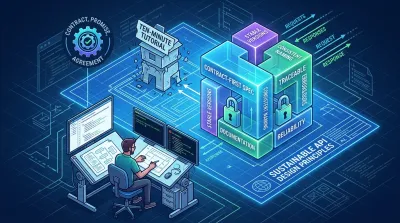
The internet gives bad advice about how to build an API.
Most tutorials optimize for the first successful response. You scaffold a project, add a few CRUD routes, return JSON, and feel productive. Then a real client tries to integrate. They need stable names, clear errors, authentication that works across environments, versioning that won't break them next month, and documentation they can trust. That's where the tutorial version falls apart.
That gap matters more than the framework you choose. Neutral guidance summarized by Swagger points out that many API guides still overfocus on CRUD mechanics while under-explaining the things that make an API sustainable over time, such as versioning, naming consistency, documentation, and effective error handling. It also notes newer operational concerns like semantic versioning, breaking-change detection, and self-serve SDK generation in recent guidance from a March 2026 design guide (Swagger's API design best practices overview).
If you want to learn how to build an API in a way that prepares you for backend work, start thinking like an architect, not a route factory. Good APIs aren't piles of endpoints. They're contracts, operating systems for other software, and long-term promises to clients.
Beyond the Ten-Minute Tutorial #
A ten-minute API tutorial teaches motion, not judgment.
It shows you how to make something respond to GET /items. It usually doesn't show you how to decide whether the resource should be items, products, or inventory, what the error payload should look like, how clients should authenticate, or how you'll evolve the API without turning every integration into a support ticket.
Working code isn't the finish line #
Junior developers often ask, “What stack should I use?” That's a useful question, but it's usually too early. A better question is, “What promises am I making to clients?” Once you answer that, the stack gets easier to choose.
A sustainable API has a few characteristics that demos rarely teach:
- Stable behavior: Clients can depend on field names, status codes, and pagination rules.
- Clear boundaries: Consumers know what's public, what's experimental, and what may change.
- Operational discipline: You can trace requests, understand failures, and enforce fair usage.
- Usable documentation: Another developer can integrate without reading your source code.
A tutorial API proves that your server can answer. A production API proves that other teams can depend on that answer.
That's the ultimate standard. If your API works only when the original author explains it over a call, the design is weak no matter how elegant the controller code looks.
The shift from coding to product thinking #
For many, building an API often means “how do I expose database records over HTTP?” That's only one small slice of the job. You're also designing a product interface for developers. Every choice becomes part of that experience.
Think of an API like a door handle, not a wall. Users shouldn't need to guess whether to push or pull. Good API design gives the same feeling. Names are predictable. Errors are actionable. Authentication is explained. Versioning is visible. The interface tells clients how to use it.
That's why senior engineers care so much about things that seem boring at first:
- Naming conventions
- Backward compatibility
- Error shape consistency
- Documentation quality
- Testing strategy
- Operational visibility
These are not polish items. They are the difference between a toy and a service other teams can build on.
Establish Your Professional Workshop #
A shaky local setup teaches the wrong lesson. It makes API work feel random, when the underlying problem is that your tools keep changing under your feet.
Professionals treat the development environment as part of the product. If your app only runs on one laptop, under one shell, with one set of forgotten manual steps, you have not built a stable system yet. You have built a demo with a fragile backstory.

Your environment is part of your engineering skill #
A backend setup should make four jobs predictable:
- Edit code efficiently: Use an editor or IDE with search, refactoring, linting, and test execution close at hand.
- Run commands the same way every time: A capable terminal matters because backend work depends on scripts, servers, package tools, and automation.
- Track change safely: Git belongs in your daily workflow, not in a last-minute cleanup before deployment.
- Manage dependencies predictably: Package managers and lockfiles keep installs and builds consistent across machines.
This is why Linux-based workflows, or WSL on Windows, tend to fit backend work better. Production services usually run in Linux-like environments. Closing that gap early removes a whole category of avoidable bugs.
A development environment works like a mechanic's bench. You can fix a bike with tools scattered across the floor, but every repair takes longer and mistakes creep in.
Development Environment Trade-offs #
| Approach | Best For | Pros | Cons |
|---|---|---|---|
| Native Linux | Developers who want maximum parity with server environments | Strong terminal workflow, familiar backend tooling, fewer environment mismatches | Higher setup friction if it's new to you |
| WSL | Windows users who want a practical backend workflow | Good balance of convenience and Linux compatibility | File and tool boundaries can get confusing if setup is sloppy |
| Virtual Machine | Isolated experimentation and learning | Safe sandbox, easy to reset, useful for testing assumptions | Heavier resource usage, more moving parts |
| Pure host OS with minimal tooling | Very simple early experiments | Fastest to start | Usually becomes brittle as projects grow |
The right choice depends on your constraints. Native Linux gives you the closest match to production. WSL is a practical middle ground for many Windows developers. VMs are useful when you want isolation or need to test assumptions without polluting your main machine. A minimal host setup is fine for a short exercise, but it usually breaks down once the project adds migrations, background jobs, containers, or multiple services.
What a clean workshop looks like #
You do not need a fancy setup. You need one you can rebuild without guessing.
A solid baseline looks like this:
- A primary editor you know well enough to move quickly.
- A shell environment with aliases, history, and a readable prompt.
- Git configured properly with your name, email, ignore rules, and sane defaults.
- Language tooling for Python, Node, or whichever stack you are using.
- A habit of using environment variables instead of hardcoding secrets or machine-specific values.
- An API client for repeatable request testing, such as a workflow built around Postman for API testing.
One simple test exposes weak setup discipline fast. Delete the project, clone it again, and try to get back to a working state from scratch. If that process feels slow or full of tribal knowledge, your environment is still too manual.
That problem does not stay local. It turns into painful onboarding, inconsistent bug reports, and "works on my machine" conversations that waste hours. Sustainable API development starts earlier than many tutorials admit. It starts with a workshop that makes good habits the default.
For structured practice, some learners use environments that mirror professional workflows instead of only watching lessons. Codeling's backend learning platform takes that approach with browser-based exercises and synchronized local projects, which fits this workshop mindset well.
Mastering the Craftsman's Toolkit #
Tools don't make someone a good engineer. But lack of fluency with the right tools makes good engineering much harder.
The command line, Git, and package managers belong together. They're not random utilities. They form a control system for your work. One helps you operate the machine, one records every meaningful change, and one keeps dependencies from turning into chaos.

The command line teaches composable thinking #
A graphical tool usually encourages point-and-click habits. The shell teaches composition. You run one command, pipe output into another, redirect logs, automate a sequence, and make your actions repeatable.
That mindset matters in backend development because APIs live in systems, not isolated files. You'll inspect logs, run migrations, compare outputs, seed data, execute test suites, and script repetitive tasks. The shell trains you to think in flows.
A lot of juniors avoid the terminal because it feels unforgiving. That's normal. Keep using it anyway. Friction now becomes an advantage later.
Git is more than version history #
Beginners often use Git like a save button. Professionals use it like a communication protocol.
A clean commit says, “Here is one coherent change.” A branch says, “This work is isolated until it's ready.” A pull request says, “Review the reasoning, not just the code.” Git lets teams coordinate changes without stepping on each other, but only if the history is understandable.
Good Git habits usually look boring:
- Small commits: Easier to review and easier to revert.
- Descriptive messages: They explain intent, not just files changed.
- Frequent syncing: Reduces painful merge conflicts.
- Branch discipline: Keeps unfinished work from leaking into mainline code.
The best Git history reads like a sequence of decisions, not a pile of accidents.
Package managers preserve sanity #
Dependencies expand faster than most new developers expect. Even a small API project can pull in framework packages, validation libraries, test tools, documentation generators, and auth helpers. Without a package manager and lockfile discipline, two developers can run the “same” project and still get different behavior.
That's why package management isn't clerical work. It's a reproducibility mechanism.
A few practical habits matter:
- Pin intentionally: Avoid vague dependency drift when stability matters.
- Update deliberately: Don't mix feature work and dependency churn in the same change.
- Remove dead packages: Every dependency is code you now trust.
- Review transitive impact: One simple install can bring a lot of baggage.
If you want a GUI companion for manual API exploration, this guide to using Postman for API testing is useful. Just don't confuse clicking requests in a client with having a testing strategy. Tooling should support judgment, not replace it.
Designing Your API Architectural Blueprint #
You should design the contract before you build the server.
That's the cleanest answer to how to build an API that survives contact with real users. If you code first and define behavior later, the implementation starts making decisions the design should have made. You end up documenting accidents.

Start with the blueprint, not the hammer #
A production-ready API should be built spec-first. That means defining resources, operations, authentication rules, and error shapes before writing implementation code, then publishing the contract so consumers can build mocks and integration tests in parallel. The same contract can also drive implementation, documentation, and contract tests, which reduces drift between what the API says and what it does (Fern's guide on building an API spec-first).
That's exactly how architects work with buildings. Nobody pours concrete and then asks where the doors should go. The blueprint forces important decisions early, while changes are still cheap.
What belongs in the contract #
A useful API spec should answer the questions clients will ask first:
- What resources exist
- What operations are supported
- How authentication works
- What request and response shapes look like
- What errors look like
- How pagination, filtering, and sorting behave
- Which parts are stable versus likely to change
Many weak APIs drift into inconsistency. One endpoint uses plural nouns, another uses verbs. One returns nested errors, another returns plain strings. One endpoint uses cursor pagination, another uses page numbers with no warning. That inconsistency isn't just ugly. It multiplies client complexity.
For a more detailed companion on interface consistency and HTTP design choices, these REST API design best practices are a helpful reference.
A short explainer can help the blueprint idea click in a different format:
The rules that keep APIs usable #
You don't need a giant governance committee. You need a few rules that you follow.
- Name resources consistently. If you use nouns, keep using nouns. Don't mix
/userswith/createOrder. - Design errors as part of the product. Clients need predictable structure, machine-readable codes, and human-readable messages.
- Version with intent. Versioning isn't a badge of maturity. It's a way to handle unavoidable change without breaking clients casually.
- Generate from the contract where possible. Docs, mocks, SDKs, and tests should align with the published spec.
Design cue: If a consumer has to inspect your backend code to understand the API, the contract is incomplete.
Building for Durability and Trust #
An API that works only on the happy path is fragile. Clients don't trust fragile systems for long.
Trust comes from behavior under pressure. What happens when clients authenticate incorrectly, exceed normal usage, send malformed payloads, or hit an edge case? Durable APIs answer those questions predictably. They don't improvise in production.

API keys are operational tools, not just locks #
A common beginner mistake is treating authentication as a thin wrapper around access control. In practice, API keys often do more than prove that a caller is allowed in.
The U.S. government's api.data.gov documentation states that each unique API key identifies the caller, and its default production limits are 1,000 requests per hour per key across participating APIs (api.data.gov developer manual). That same operational model makes keys useful for identification, rate limiting, and usage tracking, not just access.
That changes how you design the system. You need to decide:
- Where the key is sent: Header or query parameter.
- How usage is attributed: Application, user, team, or integration.
- How limits are enforced: Fair usage should be visible and predictable.
- How events are logged: Every important request should be traceable.
NCBI's support documentation, referenced in the same verified guidance, also instructs users to create an API key, store it as an environment variable, and append it to requests. That's a reminder that auth design affects client ergonomics too, not just server policy.
If you want a deeper practical comparison of auth methods and their trade-offs, these API authentication best practices are worth reading.
Reliability is mostly boring on purpose #
Reliable APIs have a certain plainness to them. They respond consistently. They fail clearly. They emit logs you can use. They don't surprise clients with shape changes or hidden throttles.
A good durability checklist includes:
- Predictable errors: Same structure across endpoints.
- Rate limiting behavior: Clear limits and understandable responses when exceeded.
- Observability: Logs, traces, and request correlation that help operators debug quickly.
- Timeout and retry awareness: Clients need enough information to behave responsibly.
Testing is where promises become enforceable #
Specs and docs describe the API. Tests enforce it.
A comprehensive API stack should include unit tests for functions, integration tests for endpoints, and contract tests for interface consistency. Each catches a different kind of failure. Unit tests protect local logic. Integration tests verify the application's behavior through the HTTP layer. Contract tests make sure the implementation still matches the published interface.
When tests stop at the function level, the API can drift while the codebase still looks green.
That's why durability and trust belong together. Security without testing becomes brittle. Reliability without observability becomes guesswork. Good API engineering ties them into one operating model.
Designing for a Future of AI Agents #
Developers aren't the only consumers of APIs anymore. Increasingly, software agents and language-model-based systems are trying to discover, understand, and call APIs too.
That changes documentation priorities. Human-readable docs still matter, but they're no longer enough on their own. Machines work better when your API is described in a precise, structured format they can parse directly.
Machine-readable interfaces are becoming part of DX #
Recent guidance from a March 2026 API design guide recommends exposing /openapi.json, publishing llms.txt, and generating SDKs and docs automatically. That same guide claims this approach can reduce token consumption by over 90% versus HTML documentation when AI systems consume the API, framing it as part of a broader move toward agent-ready APIs (Fern's API design best practices guide).
Even if you're not building for AI-first use cases today, the lesson is immediate. Structured contracts age better than prose-only docs. They're easier to validate, easier to generate from, and easier for both people and machines to consume correctly.
The same habits that help AI also help humans #
This isn't a separate design philosophy. It's an extension of good API discipline.
An agent-friendly API tends to have the same characteristics that make life easier for human developers:
- A complete OpenAPI specification
- Stable naming
- Clear auth rules
- Consistent schemas
- Generated SDKs and synchronized docs
That's why future-proofing doesn't mean chasing hype. It means building interfaces that are explicit instead of implied. If the API can only be used correctly by reading blog posts, examples, and source code together, it's underspecified.
Good machine-readability is just good interface design made more rigorous.
Your Path from Learner to Architect #
The jump from “I can make endpoints” to “I can design APIs” happens when you practice decision-making, not just syntax.
That means your learning path should mirror real backend work. Don't only follow tutorials from top to bottom. Repeat small cycles of design, implementation, testing, and revision until the reasoning becomes natural.
A practical sequence that builds real skill #
Use a progression like this:
- Set up your environment properly. Get comfortable with your editor, shell, Git, and package tooling.
- Build a tiny API once. Keep it simple. Learn routing, request handling, and serialization.
- Rebuild it spec-first. Write the contract before touching implementation.
- Add error rules and authentication. Treat them as design work, not extras.
- Write multiple layers of tests. Verify logic, endpoints, and interface consistency.
- Document as if another team depends on it. Because one day they will.
- Review your own API like an outsider. Ask what would confuse a client who knows nothing about your codebase.
Exercises that force architectural thinking #
A few exercises are especially useful:
- Rename all resources for consistency: If the API feels cleaner after the rename, the first design was too casual.
- Introduce one breaking change on paper: Then decide how a client would discover and survive it.
- Write error examples before coding: This reveals weak assumptions early.
- Generate docs from the spec: If the output is confusing, the contract probably is too.
- Add request tracing in logs: Make every client interaction easier to follow operationally.
Those exercises teach the habits tutorials skip. They also map closely to the work backend engineers do on teams.
The long-term goal isn't to memorize one framework's way of exposing routes. It's to become the person who can shape a stable interface, protect it with tests, evolve it carefully, and make it easy for others to trust.
If you want a structured way to practice those skills, Codeling is built around the same progression. It teaches backend engineering through hands-on Python exercises, local project workflows, Git, Linux, REST API design, and portfolio-ready applications, so you're not just reading about architecture. You're building it.