Master Python while loop for Robust Backend Systems
The loop you choose shapes how your code behaves under failure, delay, invalid input, and changing conditions.
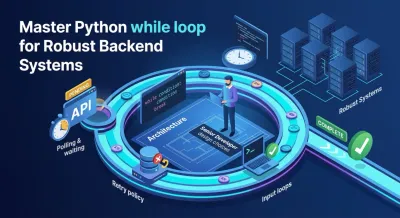
You might be here because you’ve hit a point where a for loop feels wrong.
Maybe you’re calling an API and the result isn’t ready yet. Maybe a user keeps entering bad input. Maybe a background job has to keep checking whether a file exists, a lock is released, or a queue still has work. In those moments, the question isn’t “how do I repeat code?” It’s “what kind of uncertainty is my program dealing with?”
That’s where the python while loop becomes useful. Not as beginner syntax, but as a way to model systems that move toward a state. Backend engineering is full of those states. A request eventually succeeds. A token eventually expires. A retry budget eventually runs out. A worker keeps processing until there’s nothing left to process.
Junior developers treat loops like grammar. Senior developers treat them like design choices. The loop you choose shapes how your code behaves under failure, delay, invalid input, and changing conditions. That’s why while matters beyond toy examples.
Beyond Syntax A New Way to Think About Loops #
A backend service asks a payment provider for the status of a transaction. The provider replies, “pending.”
You check again. Still pending.
You check again. Now it’s complete.
That workflow has a different shape from “iterate over these ten users” or “process every row in this file.” You don’t know in advance how many checks will happen. What you know is the stop condition. Stop when the transaction is no longer pending.
That’s the core mindset behind a python while loop. It isn’t “repeat this code some number of times.” It’s “keep going until reality changes.”
Loops express the shape of a problem #
A for loop fits a collection. You know what you’re traversing.
A while loop fits a condition. You care about a system state that can change while your code runs.
That difference matters in backend work because many production problems are open-ended:
- Retries when a dependency is flaky
- Polling for job completion
- Validation loops for messy user input
- Event handling that keeps running until a shutdown signal appears
When you choose while, you’re saying something architectural about the problem: the iteration count is secondary, but the state transition is primary.
Practical rule: Use a
whileloop when your program is waiting for the world to become true or false.
That’s also why beginners get stuck with while more often than with for. The loop body is no longer “work.” It must also drive the system toward termination. If the state never changes, the loop never ends.
That sounds simple, but it’s one of the first places where programming starts to feel like engineering instead of memorization.
The Core Idea of Conditional Iteration #
A common backend scenario shows why while exists. A worker has uploaded a file, but the virus scan is running. Your code needs to keep checking until the scan finishes or fails.
That is conditional iteration.
A while loop runs as long as a condition remains true. Before each pass, Python evaluates the condition. If the result is true, the loop body runs. If the result is false, execution continues after the loop.

The condition comes first #
Python expresses the pattern as while condition: followed by an indented block.
That detail shapes how the loop behaves in production code. The check happens before the body runs, so a false condition means zero iterations. Junior developers expect the loop to run once and then decide. Python does not work that way.
This is why setup matters. The value you assign before the loop decides whether the loop starts at all. The updates inside the loop decide whether it keeps going or stops.
Python also allows more than True and False in the condition. It uses truthiness. A non-empty list is true. 0, None, and an empty string are false. That lets you write loops around real program state, not around counters.
What the loop is modeling #
In backend systems, a while loop represents a waiting policy or a retry policy.
You are not saying, "run this code five times." You are saying, "keep going while this state holds." That is a design choice. It places the system's state at the center of the loop.
A good while loop answers three questions:
- What state are we checking?
- What work happens while that state holds?
- What changes on each pass so the loop can stop?
The third question is the one that prevents bugs. If nothing changes, the loop has no path to exit. In real services, that can mean a stuck worker, noisy logs, wasted CPU time, or repeated calls to a dependency that is struggling.
Why this differs from collection-based iteration #
A for loop walks through a known set of items. A while loop watches a condition that may change over time.
That distinction is easier to see if you understand the difference between iterators and iterables in Python. for is built for traversal. while is built for control flow around changing state.
That is why while shows up in code that polls a job status, retries a network call, reads events until shutdown, or keeps asking for input until it passes validation.
A good
whileloop does not repeat work. It makes measurable progress toward an exit.
Once you see that, the syntax becomes the easy part. The core skill is designing the condition, the state updates, and the stopping rule so the loop behaves predictably under real-world uncertainty.
Essential Patterns for Backend Development #
A backend worker starts, calls another service, and gets back, "processing." That moment is where the while loop becomes more than syntax. It becomes a way to encode operational policy in code.
Backend systems spend a lot of time waiting on state to change. A job is running. A queue contains messages. A dependency is temporarily failing. A shutdown signal has not arrived yet. In each case, the loop defines how the service should behave under uncertainty: keep checking, keep processing, or keep retrying until the state changes or a safety limit ends the work.

Polling for external state #
Polling is one of the clearest backend patterns for a while loop.
Suppose your service starts a report export or submits a payment for processing. The first response may only confirm that the request was accepted. Your code needs to check whether the final result is ready. You cannot preselect the exact number of checks, because the answer depends on another system.
That makes the design question clear: what condition means "keep waiting," and what safeguards prevent waste?
A polling loop needs four parts:
- A business-level condition such as "status is pending" or "job is not complete"
- A pause between checks so you do not flood the dependency
- A hard stop such as a timeout, retry budget, or cancellation flag
- Visibility through logs, metrics, or traces so operators can see whether the loop is healthy
Without those parts, polling can turn into a noisy worker that burns CPU, spams logs, and pressures a slow dependency.
Retry loops as failure policy #
Retries are another common pattern, but a retry loop should represent a decision, not a reflex.
If a database connection drops for a moment, trying again may be reasonable. If the request is invalid, trying again makes no sense. The loop should capture that distinction. Good backend code retries because the next attempt has a credible chance of succeeding.
A small while loop can hold several important design choices:
- Which errors count as temporary
- How many attempts the service can spend
- How long to wait between attempts
- When to surface the failure to callers or operators
The counter matters here. In application code, it is not a number that increments. It is a risk budget. Each pass through the loop spends time, compute, and possibly another request to an upstream service.
Sentinel loops for long-running workers #
Some backend processes are built to keep running until they receive a specific signal to stop.
Queue consumers, socket listeners, and command processors follow this pattern. The loop continues while the worker is active, and each iteration pulls one more message, event, or command. The exit condition is not "we processed ten items." It is "the system told us to stop" or "there is no more valid input."
That makes sentinel loops useful for services that react to events over time. The loop acts like a control shell around the main processing. It keeps the process alive, checks whether it should continue, and gives you one place to handle shutdown behavior cleanly.
Repetition reduction is only the surface benefit #
Loops do reduce repeated code, and that helps readability. But in backend development, the bigger gain is adaptability.
A repeated block of code bakes assumptions into the file. A while loop keeps the repetition tied to changing state. If the service needs a longer retry budget, a different stop rule, or a new shutdown condition, you update the loop's policy instead of copying more statements.
That is the architectural value of the while loop. It lets you express ongoing work in a form the system can control.
Practice the mindset, not the syntax #
You learn this pattern by building code that waits, checks, retries, and stops for a reason.
When you review a while loop in backend code, ask questions a production engineer would ask. What state is changing? What allows another iteration to help? What protects the system if the condition never changes? Those questions turn a simple loop into a dependable part of a service.
Mastering Control Flow with Break Continue and Else #
A basic while loop is only the starting point. Real systems need finer control.
You may need to stop early because you found what you wanted. You may need to skip bad data and keep going. You may need different behavior depending on whether the loop ended normally or was interrupted. That’s where break, continue, and else make the loop expressive instead of clumsy.
Break means the goal changed #
break exits the loop immediately.
In backend code, that means the loop’s original condition is no longer the most important thing. You found the resource. The lock was acquired. The valid token arrived. There’s no reason to keep iterating.
Used well, break makes your code honest. It says, “the loop’s broad rule got us here, but a stronger event happened.”
Used poorly, it scatters hidden exits through the body and makes the loop hard to reason about.
Continue protects the happy path #
continue skips the rest of the current iteration and jumps back to the next condition check.
This is useful when processing records, events, or messages where some items are invalid but the loop should keep moving. Instead of nesting the main logic inside multiple if blocks, you reject bad cases early and preserve a cleaner happy path.
That matters in backend code because nested control flow gets messy quickly. A loop that handles validation, transformation, and persistence can become unreadable if every branch wraps the next branch.
Else is the underrated part #
Most beginners either never learn while ... else or learn it in a way that makes it seem decorative. It isn’t.
The else block runs only when the loop ends through natural termination, not when a break interrupts it. That makes it useful for one of the most common backend needs: telling the difference between “we exhausted all allowed attempts” and “we exited because something succeeded.”
Real Python’s explanation of while ... else highlights this pattern in retry logic, where the else branch handles the failure case only after all retries are consumed, reducing code complexity (Real Python on the while loop else clause).
Here’s the architectural value in plain terms:
| Outcome | Meaning in backend code | Best control flow |
|---|---|---|
| Loop ended normally | The condition became false on its own | else |
| Loop was interrupted | A success or exception changed the path | break or exception |
Don’t think of
elseas “the opposite of if.” Think of it as “no break happened.”
That distinction is excellent for retry systems. A successful attempt can break. If no attempt succeeds, else can raise an error, log exhaustion, or trigger fallback handling.
What clean control flow looks like #
Strong loop control follows a pattern:
- Use
breakwhen an event invalidates further waiting. - Use
continuewhen one iteration is bad but the loop policy still holds. - Use
elsewhen completion without interruption carries business meaning.
That gives your code a shape readers can trust. They can see whether the loop succeeded, skipped noise, or ran out of runway.
When to Choose a While Loop Over a For Loop #
This choice isn’t about personal taste. It’s about modeling the problem correctly.
A for loop says, “I have a collection or a known sequence of steps.” A while loop says, “I am moving toward a condition.” Those are different architectures, even if both repeat code.
Start with the kind of uncertainty #
If the number of iterations is known up front, use for.
If the iteration count depends on state that changes during execution, use while.
That sounds obvious, but it prevents a lot of awkward code. Developers force a for loop into retry or polling logic by picking an arbitrary range and hoping it lines up with reality. The code works, but the intent gets hidden. The loop now says “five items” when the business meaning is “until ready, but not forever.”
Benchmarks also matter. while loops can carry more overhead per iteration than for loops because they repeatedly evaluate the condition, which is one reason for is better for large, known iterables, while while is a better fit for dynamic conditions like user input validation (Python Numerical Methods on while loop behavior).
While Loop vs. For Loop An Architectural Choice #
| Criterion | For Loop (Definite Iteration) | While Loop (Indefinite Iteration) |
|---|---|---|
| Primary model | Process a collection | Move toward a state |
| Iteration count | Known or implied | Unknown until runtime |
| Readability | Strong when traversing data | Strong when expressing conditions |
| Performance fit | Better for large known iterables | Better when state drives repetition |
| Common backend use | Process records, rows, users | Polling, retries, validation, workers |
| Main risk | Using it when logic is state-based | Forgetting to update state or add guards |
A practical decision test #
Ask yourself which sentence describes the code more accurately:
- “For each item, do this.”
- “While this remains true, do this.”
If the second sentence matches, use while.
If you want a stronger feel for the collection side of that decision, this guide to the Python for loop pairs well with while because it shows where definite iteration is the cleaner abstraction.
The loop should describe the problem as directly as possible. When the code reads like the system behaves, bugs get easier to spot.
That last point is underrated. The right loop doesn’t run. It communicates.
Avoiding and Debugging Infinite Loops #
Infinite loops aren’t beginner mistakes. They’re design failures.
A hung retry worker, a polling loop with no timeout, or a validation loop that never changes state can waste CPU, block request handling, and leave you staring at logs that never progress. The fix isn’t “remember to increment the counter.” The fix is to design the loop with an exit strategy before writing the body.

Build termination into the design #
A reliable loop needs a path to completion that you can explain in one sentence.
That path might be a state change, a max-attempts limit, a timeout, a sentinel value, or an exception that aborts the workflow. In production systems, you want more than one of these.
Use this checklist when reviewing a loop:
- State update: What changes inside the loop that can make the condition false?
- Guard variable: What stops the loop if the external system never cooperates?
- Failure mode: What happens when the loop gives up?
- Observability: What will you log so debugging isn’t guesswork?
If any answer is vague, the loop is fragile.
Input validation is where many bugs begin #
User input loops are a classic trap. A beginner writes a condition around int(input(...)), then the first invalid value crashes the whole program. That’s why effective validation needs while True paired with try-except.
Tutorials skip that pattern, even though about a quarter of beginner questions on Python forums involve unhandled exceptions inside while loops (Teclado’s while loop lesson).
The lesson for backend engineers is bigger than CLI input. External systems behave like bad users all the time. They return malformed payloads, empty fields, or temporary failures. A good loop assumes reality will be noisy.
Debugging habit: Log the condition inputs, not the fact that the loop ran.
That one habit turns “it got stuck” into “the status never changed from pending” or “the retry counter stopped moving.”
A testing habit helps too. If you write loop-heavy code, add tests that prove the loop exits on success, exits on failure, and handles invalid data. This practical guide to unit tests in Python is useful because loops are easier to trust when termination is covered by tests.
A short visual refresher can help if you want to see the failure mode in action:
Treat infinite loops as an architecture smell #
When a loop runs forever, the bug is upstream of the syntax.
Maybe the condition depends on stale state. Maybe the loop body mixes too many concerns. Maybe the exit condition exists only in your head and not in the code. Those are architecture problems. Fixing them makes you a better backend engineer, not a better Python user.
Conclusion From Theory to Your Portfolio #
The python while loop matters because backend systems rarely live in neat, fixed-length worlds.
They wait. They retry. They validate. They react to changing state. That’s why while is more than syntax. It’s a way to write code that deals with uncertainty without becoming chaotic.
A lot of learners stay too long in toy examples. They can print numbers, but they can’t explain when a while loop is the right abstraction, how to guard it, or how to prove it terminates. Employers notice that gap quickly. They don’t want someone who knows Python keywords. They want someone who can encode operational behavior.
A better next step is to build something small that uses loop design on purpose:
- A CLI job tracker that polls an API until a task finishes or times out
- A paginated scraper that keeps requesting pages until there are no more results
- A retry wrapper around a flaky service that distinguishes success, exhaustion, and invalid responses
- A validation tool that keeps asking for input until it gets a safe, parseable value
Those projects are useful because they show judgment. They prove you understand state, failure, and control flow.
Backend code gets stronger when your loops reflect how real systems behave, not how textbook exercises behave.
That’s the standard to aim for. Don’t practice while as repetition. Practice it as controlled progress toward a meaningful exit.
If you want a structured way to practice these ideas, Codeling teaches Python through hands-on browser exercises and local backend projects, including loops, APIs, testing, and portfolio-ready workflows that mirror real development.