Python Project Ideas: Build a Strong Backend Portfolio
A good project does more than show that you can write Python. It shows that you can build software with constraints, make trade-offs, and finish the unglamorous parts such as validation, error handling, tests, documentation, and deployment.
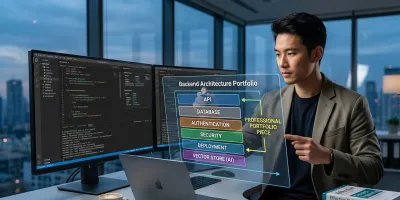
Most Python project ideas are optimized for feeling productive, not for getting hired.
That sounds harsh, but it matches what hiring teams reward. A calculator, Tic-Tac-Toe clone, or small script can help you learn syntax and basic debugging. Those are useful exercises. They just do very little to prove backend competence, and that distinction is where many aspiring engineers lose months.
A key mistake is not building beginner projects. The mistake is treating practice work like portfolio work. Recruiters, hiring managers, and senior engineers reviewing your GitHub are not asking, "Can this person finish a tutorial?" They are looking for evidence that you can make technical decisions, structure code, model data, test behavior, and ship something another developer could run and understand.
Python remains a strong language to learn for backend work because the ecosystem is broad, the tooling is mature, and there is no shortage of libraries, frameworks, and examples. That creates a real advantage for learners. It also creates a trap. You can spend a lot of time assembling small scripts from tutorials and still end up with a portfolio that signals very little judgment.
A good project does more than show that you can write Python. It shows that you can build software with constraints, make trade-offs, and finish the unglamorous parts such as validation, error handling, tests, documentation, and deployment.
If your goal is a backend role, stop asking what project sounds interesting for a weekend. Ask what project would convince an engineer to trust you with an API, a database, and a production codebase.
Why Most Python Project Idea Lists Fail You #
Search for Python project ideas and you get the same recycled menu. Calculator. Number guessing game. Clock. To-do app. Weather script. Sometimes the list adds "advanced" labels, but the structure stays shallow.
That's the core problem. Mainstream Python project roundups heavily over-index on toy projects such as calculators, Tic-Tac-Toe, and guessing games, while giving far less guidance on how to turn a project into a backend portfolio piece with authentication, APIs, databases, testing, and deployment, as described in GeeksforGeeks' Python projects list. The missing piece isn't more ideas. It's better scoping.
Toy projects teach syntax, not engineering #
A calculator can teach functions. A small game can teach loops and conditionals. A scraper can teach requests and parsing. Those are fine starting points.
But backend hiring rarely hinges on whether you know a for loop. Teams want evidence that you can model data, design endpoints, handle failures, structure code, and work within a real development workflow. A toy project almost never forces those decisions.
Practical rule: If a project can be fully understood from one file and a short terminal demo, it probably won't carry much portfolio weight.
The hidden cost of bad project advice #
The biggest cost isn't that toy projects are simple. It's that they create the wrong learning target.
People start optimizing for quantity. Ten tiny apps. Fifteen scripts. A GitHub profile full of disconnected repos. From a hiring perspective, that often reads as "still practicing fundamentals" rather than "ready to contribute to a backend codebase."
A stronger approach is narrower and deeper:
- Build fewer projects: One substantial system beats a shelf of mini-exercises.
- Force integration: Make the project touch storage, networking, validation, and testing.
- Show decisions: Include trade-offs, constraints, and documentation, not just working code.
What works better #
Good Python project ideas for backend engineers usually begin with a workflow, not a gimmick. Start with a user action. A file gets uploaded. A request hits an API. Data gets stored. A background job runs. A result gets returned. That's software people recognize.
The best projects aren't "fun." They're legible. Someone can open the repo and quickly see architecture, boundaries, and intent. That's what makes a project useful as career capital.
The Difference Between a Toy Project and a Portfolio Piece #
A toy project is like practicing scales on a piano. A portfolio piece is performing a full song in front of people. Both matter. Only one proves you're ready for the stage.
That distinction gets blurred because both involve code, GitHub, and problem solving. But they signal completely different things to an employer.

What each type of project is for #
A toy project helps you isolate one concept at a time. That's useful when you're learning Python syntax, classes, file handling, or basic data structures. It lowers cognitive load.
A portfolio piece does the opposite. It increases cognitive load on purpose. It asks you to make design choices across multiple layers of a system and keep them coherent.
| Dimension | Toy Project | Portfolio Piece |
|---|---|---|
| Skills demonstrated | Scripting, syntax, basic logic | API design, data modeling, system thinking |
| Scope | Narrow, isolated task | End-to-end workflow with multiple components |
| Tools used | Built-in libraries, simple scripts | Frameworks, databases, Docker, testing tools, cloud services |
| Data | Often in memory or local files | Persistent storage with defined schema and lifecycle |
| User model | Usually single-user or no auth | Real users, permissions, sessions, access control |
| Failure handling | Minimal | Validation, logging, retries, error responses |
| Delivery | Runs locally | Deployable, documented, reproducible |
| Career signal | Knows Python basics | Can build and maintain backend software |
What hiring managers infer #
When someone sees a command-line calculator, they infer you practiced basics. That's not a criticism. It's just the natural reading.
When someone sees a documented API with a database, auth flow, tests, and deployment instructions, they infer something different. They see that you understand how software behaves outside a tutorial.
A portfolio piece doesn't need to be huge. It needs to be complete.
A better standard for Python project ideas #
If you're evaluating Python project ideas, ask whether the project creates engineering evidence. Not activity. Evidence.
That usually means the repo can answer questions like these:
- What problem does this solve?
- What are the major components?
- How does data move through the system?
- How is state persisted?
- How would another developer run, test, and extend it?
If your current projects don't answer those questions, that's normal. Most self-taught developers start with toy projects because that's what's easiest to find. The leap isn't from beginner to expert. It's from isolated coding to integrated software construction.
Choosing Projects That Signal Backend Competence #
The easiest way to choose better Python project ideas is to stop asking whether an idea sounds interesting and start asking whether it demonstrates backend competence.
Recent labor-market evidence points in that direction. Software developer roles remain substantial, but hiring has shifted toward production-oriented skills and AI-adjacent work, and the 2025 Stack Overflow survey found AI tool usage is now mainstream among developers. That makes generic beginner projects less differentiating unless they include system design or integration, as summarized in Dataquest's analysis of Python projects and current hiring signals.

The backend project checklist #
Use this as a filter before you commit weeks to a build.
- It exposes an API: A backend engineer should be comfortable designing request and response contracts. REST is still the clearest place to start. If you need a practical reference for shaping endpoints well, this guide to building REST with Python is a good example of the kind of thinking to study.
- It persists data: Local variables aren't enough. Use PostgreSQL, MySQL, SQLite, or a NoSQL store when the domain fits. Persistence forces you to think about schema design, migrations, constraints, and query patterns.
- It has authentication and authorization: User identity changes the architecture. Suddenly you need access control, session or token strategy, and permission checks.
- It can be deployed: If the project only works on your laptop, you're skipping a major part of backend work. Packaging, environment handling, and runtime behavior matter.
- It includes tests: Unit tests protect core logic. Integration tests prove your layers work together.
- It handles asynchronous work when appropriate: Background tasks, queues, or scheduled jobs often separate a realistic backend from a simple script.
A short explanation from another engineer can make this standard easier to remember:
Build something that has state, boundaries, and failure modes. That's where backend skill shows up.
What to avoid #
Some project patterns look productive but don't signal much on their own.
- Tutorial clones: If your repo matches a common walkthrough line for line, reviewers can tell.
- Thin wrappers around one API: Calling an external API and printing the response isn't a system.
- Feature sprawl: Adding random features without a coherent domain usually makes a project look less mature, not more.
Stronger project directions #
Better Python project ideas tend to have a real workflow behind them:
- Internal tools such as admin dashboards, approval systems, or reporting backends.
- Data services that ingest, clean, store, and expose structured information.
- AI-enabled systems where Python coordinates retrieval, processing, and model interaction.
- Workflow backends for notifications, scheduling, uploads, or document processing.
If you want a structured environment for building that kind of work, Codeling focuses on browser-based Python practice plus local projects around APIs, Git, testing, and AI engineering. That matters because many learners don't need more project ideas. They need a path that forces the right constraints.
The key trade-off is simple. A project that takes longer but teaches architecture, integration, and delivery is worth more than a quick build that only proves you can type Python.
A useful technical example is below.
Anatomy of a Portfolio-Worthy Python Project #
A strong example of a modern backend-focused Python project is a retrieval-augmented generation PDF Q&A system. It's a compelling idea because it combines document parsing, vector embeddings, and LLM integration in one workflow, which moves well beyond basic CRUD apps and teaches the search, retrieval, and generation stack used in modern AI applications, as outlined in DataCamp's roundup of Python projects.
That description matters because it shows why some Python project ideas carry more weight. This project isn't impressive because it uses AI buzzwords. It's impressive because it forces you to solve backend problems across ingestion, storage, orchestration, and delivery.

The architecture that makes it valuable #
At a high level, the system can be broken into several cooperating parts:
| Component | Responsibility |
|---|---|
| API layer | Accept uploads, questions, and retrieval requests |
| Document pipeline | Parse PDFs, chunk text, clean metadata |
| Embedding layer | Convert text chunks into vector representations |
| Storage layer | Persist documents, metadata, and vectors |
| Retrieval logic | Fetch relevant chunks for a user query |
| Generation layer | Pass context to an LLM and return an answer |
| Presentation layer | Provide a simple UI or API client for interaction |
At this stage, architecture becomes visible. You aren't just "building with Python." You're deciding what belongs in synchronous request flow, what should run in background processing, and what data needs durable storage.
The professional signals inside one project #
A RAG system gives you opportunities to show backend maturity in ways a toy project can't.
- API design: You need endpoints for upload, indexing, querying, and status checks.
- Data modeling: Documents, chunks, embeddings, users, and query history all need structure.
- Operational thinking: Long-running indexing jobs shouldn't block requests.
- Failure handling: PDFs can be malformed, model APIs can fail, and retrieval can return weak context.
- Testing discipline: Retrieval quality is hard to reason about unless the components are testable in isolation.
If you want a practical baseline for validating that logic, this guide to writing unit tests in Python is the sort of resource that helps turn a flashy idea into maintainable software.
A good portfolio project doesn't hide complexity. It organizes complexity.
How to scope it without overbuilding #
This kind of project can easily spiral. The mistake is trying to make it production-perfect on day one.
A better scope looks like this:
- Start narrow: Support one document type and one user flow.
- Choose one backend framework: FastAPI or Django are both reasonable. Don't build framework abstractions you don't need.
- Keep the UI thin: A simple frontend or API playground is enough.
- Document the trade-offs: Explain why you picked a vector store, chunking strategy, and model interface.
That last point is what separates a serious project from a trendy one. Your reasoning is part of the artifact.
Your GitHub Is Your Resume Now #
A working repo without context is still unfinished.
Most aspiring developers underestimate how much presentation affects evaluation. A hiring manager doesn't have time to reverse-engineer your thought process from a folder tree and scattered commits. They need the project to explain itself quickly.

What a strong repository shows #
A serious GitHub repository communicates three things fast. What the software does. How it's structured. How another developer can run it.
That means your README.md shouldn't be an afterthought. It should include a clear problem statement, stack summary, setup instructions, architecture overview, and screenshots or a demo if the project has a user-facing layer.
The parts people actually inspect #
Reviewers often skim in a predictable order. They read the repo name, the README, the file structure, a few key modules, the tests, and the commit history. If any of those are chaotic, the code has to work much harder to overcome the impression.
Use a checklist like this:
- README quality: Explain the domain, not just the tools.
- Project structure: Separate routes, services, models, and tests in a way that reflects responsibility.
- Commits: Write messages that show incremental reasoning, not "fix stuff" and "update again."
- Branches and pull requests: Even on solo projects, they show you understand collaborative workflow. If you want a practical primer, this guide to using Git for version control covers the habits that make repositories look professional.
- Issue tracking: A small set of planned improvements can show maturity better than pretending the project is done forever.
Your repository should make another engineer feel oriented within a minute or two.
What not to do #
Don't dump every experiment into the main branch. Don't leave dead files, commented-out code, and mystery environment variables. Don't force a reviewer to guess how to run the app.
Also, don't write documentation like a student submitting homework. Write it like a developer handing a system to a teammate. The tone changes when you do that. The explanations get clearer. The trade-offs become explicit. The whole project feels more credible.
A clean repo won't rescue a weak project. But a messy repo can absolutely bury a good one.
The Path from First Project to First Job #
Backend hiring rewards evidence, not effort. Recruiters and engineering managers do not care that you completed thirty Python exercises if none of them show how you design an API, model data, test failure cases, or explain trade-offs.
The path from beginner to employable usually gets clearer once you stop asking, "What should I build next?" and start asking, "What would make another engineer trust me with production code?" That shift changes project selection, scope, and finish quality.
A practical progression #
Early practice still matters. Small scripts teach syntax, debugging, and how to read tracebacks without panicking. But scripts are only the warm-up.
A stronger progression for an aspiring backend engineer looks like this:
- Learn the language through constrained exercises: functions, data structures, file I/O, error handling, and basic debugging.
- Build one responsibility at a time: an API client, a CLI tool, a small CRUD service, a background job.
- Combine those skills in a real system: persistence, authentication, validation, logging, tests, and clear boundaries between layers.
- Polish the project like another engineer will inherit it: setup instructions, environment management, useful commit history, and realistic sample data.
- Revise after feedback: simplify rough abstractions, remove dead code, tighten naming, and document why you made certain decisions.
That sequence matters because backend work is cumulative. Good endpoint design, schema choices, input validation, and test structure carry from one project to the next. You are not just finishing projects. You are building reusable judgment.
Why Python still works well for this #
Python remains a strong choice for this path because it gets out of your way early and still holds up once the projects become more serious. You can start with scripts, move into web frameworks, add database tooling, write tests, and automate workflows without changing languages halfway through.
That continuity is useful. It lets you spend more time on system design and less time fighting syntax or rebuilding your mental model every month. In practice, that means you can focus on the parts employers prioritize. API behavior, data modeling, observability, background processing, and maintenance. The ecosystem helps too, but its main advantage is not package count. It is how quickly Python lets you get to backend concerns that map to professional roles.
What actually gets you hired #
A first backend role usually goes to the candidate who creates the least doubt.
Can you explain why you chose PostgreSQL over SQLite for a given project? Can you describe how your service handles invalid input, rate limits, or partial failure? Can you show tests that prove you thought past the happy path? Those answers carry more weight than a long list of unfinished apps.
One good project can do a lot of work if it shows depth. Two good projects are often enough for a junior candidate if they are scoped well and presented clearly. Ten shallow ones usually signal avoidance. They suggest the person likes starting, not finishing.
If you are serious about turning Python projects into career capital, build fewer things and finish them harder.
If you want a structured way to make that jump, Codeling offers a hands-on Python path built around the exact skills backend roles expect: APIs, Git and GitHub, testing, databases, Linux workflow, and AI-oriented projects. It's a practical option for learners who don't need more passive tutorials and want a clearer route from first scripts to portfolio-ready backend applications.