Master Prompt Engineering Best Practices for 2026 AI
A software developer should treat prompting as system design. You're defining interfaces, constraints, failure modes, and evaluation criteria.
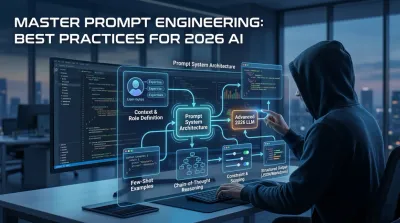
Most advice about prompt engineering best practices is too small to matter. It treats prompting like a bag of tricks: add a magic phrase, ask for a numbered list, tell the model to “think harder,” and hope the answer improves. That mindset is fine for one-off experiments. It breaks the moment you try to build something another developer, customer, or teammate has to rely on.
A software developer should treat prompting as system design. You're defining interfaces, constraints, failure modes, and evaluation criteria. You're deciding what context belongs in the request, what belongs in application state, what belongs in retrieval, and what must never be left to model guesswork. That's architecture, not prompt decoration.
The biggest shift is this. Stop asking, “How do I get a better answer?” Start asking, “How do I make good answers repeatable?” Those are different problems. The first rewards clever phrasing. The second rewards clear contracts, structured outputs, representative test cases, and disciplined iteration.
OpenAI’s own prompt guidance pushed teams in that direction by emphasizing newer models and temperature 0 for factual work, while noting that stronger model families can reduce the need for elaborate prompting by up to 30 to 50 percent compared with older ones for instruction-following tasks (OpenAI prompt engineering best practices). That's a useful reminder. Better prompts help, but sound model selection and system design matter more.
If you want to become the kind of developer who can build AI features into real products, these are the prompt engineering best practices that prove effective.
1. Clear Role Definition and System Context #
Most bad prompts fail before the task even starts. The model doesn't know whether it's supposed to teach, critique, generate, summarize, or make a recommendation. Developers often call this “lack of intelligence.” It’s usually lack of framing.
Role definition fixes that. Tell the model what job it’s doing, what expertise it should apply, who the audience is, and what to ignore. In backend work, that might mean “act as a senior Django API reviewer,” “act as a mentor for a beginner,” or “act as a security-focused code reviewer and ignore style issues.”

What good context actually includes #
A useful role prompt has four parts:
- Function. “Review this endpoint for production readiness.”
- Perspective. “You are a Django Ninja expert.”
- Audience. “Assume I have two weeks of Python experience.”
- Scope. “Focus on validation and error handling, not code style.”
That last part matters most. If you don't constrain scope, the model spreads attention everywhere. You ask about query performance and get a lecture on naming conventions.
Practical rule: Define the role and define the boundaries. Expertise without scope still produces noisy output.
This also works well for learning. If you're studying object-oriented design, tell the model to behave like a strict reviewer who explains why inheritance is or isn't justified. If you're learning APIs, tell it to optimize for clarity first, then production concerns second. You’re not just changing tone. You’re changing the decision criteria the model uses.
PromptHub’s analysis, cited in Braintrust’s discussion of systematic prompting, found that delimiters and role assignment improve clarity, and that longer, more specific prompts outperform vague ones by 35 percent on clarity metrics (Braintrust on systematic prompt engineering). That matches real engineering work. Ambiguity is usually the bug.
2. Structured Output Formatting with JSON and Markdown #
If the output needs to be reused, parsed, checked, or pasted into documentation, free-form prose is a liability. Developers who skip output structure usually end up doing manual cleanup work the prompt should've prevented.
Ask for JSON when the response is going into a workflow. Ask for Markdown when the response is meant for humans. Ask for a numbered sequence when order matters. These aren't cosmetic preferences. They're interface design decisions.
Structure is a contract #
Suppose you're comparing API approaches. A loose answer might sound smart but still be hard to use. A structured answer forces the model to organize its thinking in a way your system can consume.
Good examples look like this in practice:
- For architecture comparisons. Request a Markdown list grouped by criteria such as validation, performance, documentation, and deployment concerns.
- For API planning. Request valid JSON with fields like
endpoint,method,auth_required,input_schema, anderror_cases. - For learning. Request a numbered checklist of common mistakes, each followed by a short explanation and one fix.
If you're learning API design, this habit pairs naturally with solid resource design and response conventions. Codeling’s guide to REST API design best practices is the kind of material that becomes easier to apply when the model’s output is already organized around endpoints, verbs, validation, and error responses.
OpenAI-oriented Azure documentation summarized in the verified data notes that few-shot prompting paired with explicit output structures such as JSON or bullet lists can produce formatting compliance above 95 percent. In practice, that means structure isn't just neat. It makes automation viable.
Free-form answers are fine for brainstorming. They’re a poor default for software work.
One more trade-off. JSON is brittle if your schema is underspecified. If you ask for “valid JSON” without naming keys, types, and edge cases, you'll still get variability. Structure only helps when the contract is explicit.
3. Few-Shot Prompting with Code Examples #
When developers say a model “doesn't get what I want,” they often mean they never showed it what “good” looks like. A couple of examples can do more than a long explanation.
Few-shot prompting is simple. Provide a small set of input-output pairs, then ask for a new output that follows the same pattern. Microsoft’s Azure OpenAI guidance, reflected in the verified data, notes that including 1 to 5 examples boosts accuracy by 20 to 40 percent on average across benchmarks. That's a big gain for a very boring technique, which is usually a sign it's worth adopting.
Show patterns, not just instructions #
This matters a lot for code generation and developer workflows because pattern consistency matters more than stylistic flair.
Use examples like:
- Endpoint design. Show two Django Ninja endpoints that validate input and return consistent error shapes, then ask for a third endpoint in the same style.
- Refactoring. Show one weak class design and one improved version with clearer responsibilities, then ask for a similar refactor.
- Git hygiene. Show a few commit messages that follow the team’s format, then ask for messages for a new batch of changes.
A good example set teaches more than syntax. It teaches conventions, constraints, and taste. That’s especially useful when you're learning to build with AI rather than just copy from it. Codeling’s article on AI programming with Python fits this workflow well because it encourages using AI as a development partner inside a broader engineering process.
Don't flood the prompt with examples, though. A few sharp examples beat a pile of mediocre ones. If your examples are inconsistent, the model will average them into something you probably won't like.
The deeper lesson is architectural. Save your best examples. Build a small library of canonical prompts and outputs for recurring tasks. Over time, that becomes internal tooling, not just chat history.
4. Chain-of-Thought Reasoning and Step-by-Step Decomposition #
Complex tasks fail when you ask for conclusions before you've clarified the path. That's why “design the best schema for this app” often produces shallow output. The request skips the analysis a senior engineer would do first.
Ask for decomposition instead. Have the model identify entities before tables, constraints before indexes, assumptions before recommendations. That slows the interaction down in a good way.
A simple visual helps anchor that habit.

Use reasoning for decisions, not for everything #
Chain-of-thought and related reasoning patterns are useful when the task includes trade-offs, hidden assumptions, or multiple valid paths. Examples:
- Designing a schema for an e-commerce app
- Comparing PostgreSQL and MongoDB for a portfolio project
- Debugging a query with performance and correctness issues
- Planning error handling across service, repository, and API layers
Verified data from Braintrust notes that teams using representative evaluation datasets before optimization have reported 15 to 30 percent accuracy uplifts, and that structured outputs separating reasoning from decisions can reduce error rates by 25 percent in complex tasks. The key phrase there is separating reasoning from decisions. You want analysis you can inspect, not a black-box answer.
A practical way to ask is, “List assumptions, analyze options, then give a recommendation with trade-offs.” That mirrors architecture reviews better than “what’s best?”
Here’s a useful walkthrough on the topic:
Use this carefully. Step-by-step prompting is not a universal upgrade. For straightforward extraction or formatting tasks, it adds noise and latency. OpenAI’s guidance in the verified data also points to temperature 0 as the better default for factual reliability. Reasoning prompts help with decomposition. They don't replace clear specs.
5. Iterative Refinement and Constraint-Based Prompting #
Expecting the first prompt to be perfect is the same mistake junior developers make when they expect the first design to survive contact with real requirements. Good prompting is iterative because real requirements are iterative.
Start broad enough to discover what's missing. Then constrain aggressively. “Explain REST API design” becomes “Explain REST API design for a beginner using Django Ninja examples.” Then it becomes “Focus on CRUD endpoints, validation, and common mistakes.” That progression isn't prompt failure. It’s requirement discovery.
Add constraints where the model tends to drift #
Constraints are where reliability starts to appear. Useful ones include:
- Scope constraints. Focus only on database design, not deployment.
- Audience constraints. Explain for a beginner who knows Python but not HTTP.
- Format constraints. Return a numbered plan with one example per step.
- Decision constraints. Recommend one option and justify why the others are weaker.
LaunchDarkly’s verified benchmarks report that teams running automated daily regression tests on more than 100 prompt variations can maintain accuracy above 95 percent and latency below 2 seconds, while A/B testing showed prompt revisions outperforming baselines by 8 to 15 percent on edge cases such as malformed inputs. The lesson isn't just “iterate.” It’s “iterate against evidence.”
A prompt version is like an API version. If it matters, track changes and compare behavior.
In practical development work, save your iteration chains when they produce consistently good outcomes. Treat them like reusable assets. If you're learning, this also creates a record of how your own thinking improved. You can look back and see whether the issue was missing context, weak constraints, or a vague task.
6. Domain-Specific Context and Technical Stack Specification #
Generic prompts produce generic answers. If you're building with Python, Django Ninja, PostgreSQL, Docker, and pytest, say so. If you need advice for AWS deployment, OpenAPI compliance, or a specific version boundary, include that too.
This isn't overkill. It’s the difference between advice that sounds plausible and advice you can act on today.
The stack changes the answer #
Consider the difference between these two prompts:
- “How should I handle authentication in my API?”
- “I’m using Python 3.11, Django Ninja, PostgreSQL, Docker, and token-based auth for a portfolio API. I need beginner-friendly implementation guidance with production-aware trade-offs.”
The second prompt gives the model enough context to reason about libraries, middleware patterns, deployment realities, and likely failure points. It also reduces the chance that the model drifts into irrelevant ecosystems.
This matters even more in code generation, where public guidance is still thin. The verified gap analysis from LaunchDarkly’s best-practices review highlights that prompt engineering advice rarely addresses backend-specific tasks such as API design, schema generation, error handling, and security-critical code in enough practical depth. That gap is real. Developers need prompts that capture architecture constraints, not just content preferences.
A few stack details usually pay off immediately:
- Runtime and framework version
- Database choice
- Testing setup
- Deployment target
- Non-functional requirements like security or performance
The more objective the task, the less the model should have to guess. That’s one of the strongest prompt engineering best practices for engineers moving from toy examples to real systems.
7. Persona-Based Learning and Adaptive Complexity #
A lot of AI explanations are technically correct and educationally useless. They fail because the level is wrong. They assume too much, or they flatten everything into beginner fluff.
You can fix that by defining the learner persona as carefully as you define the technical role. Tell the model what you already know, what you don’t know, and how you prefer to learn. “I know Python basics but not HTTP.” “I understand theory but need implementation steps.” “Use analogies only if they map cleanly to the concept.”
Match the explanation to the learner, not the topic #
This works especially well for career switchers and self-taught developers because their gaps are uneven. Someone may understand business systems and still need help with SQL joins. Another learner may know algorithm theory and still struggle to structure a Django project.
Useful persona prompts include:
- Prior knowledge. “Assume I understand classes and functions, but APIs are new.”
- Learning preference. “Teach with one worked example first, then extract the rule.”
- Goal orientation. “Optimize for building a portfolio project, not passing an exam.”
The verified research gap from the Geneseo material points out a major weakness in current prompt guidance: beginners often don't get actionable diagnostic frameworks for judging whether a prompt improved because they don't yet know what “good” looks like in technical domains. That’s why adaptive complexity matters. A model acting as a good tutor should explain not just the answer, but how to tell whether the answer is strong.
Good teaching prompts don't just lower difficulty. They target the next concept a learner can actually absorb.
As your skills grow, update the persona. If you don't, the model keeps teaching the old version of you.
8. Comparative Analysis and Trade-off Documentation #
Asking “how do I do this?” teaches implementation. Asking “when should I choose this approach over that one?” teaches engineering judgment. The second question is more valuable.
Backend work is full of trade-offs. Django REST Framework versus Django Ninja. PostgreSQL versus MongoDB. Celery versus a simpler scheduled job. Synchronous validation now versus eventual consistency later. A strong prompt should surface those tensions instead of pretending there’s one universally correct answer.
Force the model to commit to trade-offs #
A good comparison prompt asks for:
- criteria,
- strengths,
- weaknesses,
- failure modes,
- and a recommendation tied to a specific scenario.
That last part is where most prompts fail. They ask for a comparison and get a neutral summary. Neutral summaries are pleasant to read and weak at helping you choose.
The market data supports why this matters at a career level. The prompt engineering market was valued at $0.85 billion in 2024 and is projected to reach USD 6,703.84 million by 2034, with a projected 33.27 percent CAGR from 2026 to 2034, according to the verified data summary from SQ Magazine’s prompt engineering statistics roundup. That growth reflects demand for people who can turn AI from novelty into operational capability. Comparative reasoning is part of that.
If you’re learning architecture, keep a decision log. Ask the model to compare options, but write down why you chose one. Over time, you build your own judgment instead of outsourcing it.
9. Context Preservation and Conversation Memory Management #
Long AI sessions feel productive right up until the model forgets what was already decided. Then you get contradictions, repeated debates, or subtle drift in assumptions. That's not just annoying. It wrecks multi-step technical work.
Good developers don't rely on conversational memory alone. They manage context explicitly.

Treat context like project state #
A lightweight project brief solves most of this. Keep a short summary with the current stack, major decisions, constraints, and open questions. At the start of a new chat, paste only the relevant portion.
That brief might include:
- Current stack. Python version, framework, database, deployment target
- Decisions already made. PostgreSQL chosen over MongoDB, token auth selected, Docker required
- Current milestone. Schema done, auth done, product endpoints next
- Known issues. Query performance, validation shape, test coverage gaps
This is the prompt equivalent of maintaining source of truth. It prevents the model from re-solving settled questions and gives you consistency across sessions. It also makes your thinking more legible to teammates if the work moves out of a solo notebook and into a team environment.
The best version of this is outside the chat. Put the durable decisions in GitHub issues, architecture notes, or docs. Use the model to help think. Don't use it as your only memory layer.
10. Verification and Source Request with Critical Evaluation #
Never let an LLM be the final authority on technical correctness. Use it as a fast assistant, not as a silent oracle. This is especially important in backend work, where wrong advice can create security problems, performance regressions, or brittle architecture.
The fix is simple. Ask for a verification path, not just an answer.
Ask how to check the claim #
When the model makes a recommendation, follow up with questions like:
- Documentation path. Which official docs should I read to confirm this?
- Version check. Is this still current for the framework version I’m using?
- Test path. How would I verify this behavior locally?
- Complexity check. How do I prove the time or space complexity myself?
This matters because AI confidence is not evidence. OpenAI’s verified guidance notes that temperature 0 is the preferred setting for factual tasks and truthful Q&A, and the verified data summary says it can minimize hallucinations by 40 to 60 percent versus higher settings in factual work. That's helpful, but it still doesn't remove the need for verification.
For practical engineering habits, pair model output with tests. If the model suggests a serializer change, write or update unit tests. If it proposes a query optimization, benchmark it. If you're sharpening that discipline, Codeling’s guide on how to write unit tests in Python is the right companion habit. Verification isn't a final cleanup step. It’s part of the design loop.
Ask the model for the shortest path to disproof. That usually teaches you more than asking for reassurance.
And when the answer affects production behavior, trust official documentation and your own tests over any polished explanation.
Prompt Engineering: 10-Point Comparison #
| Technique | Complexity 🔄 | Resources ⚡ | Expected outcomes ⭐📊 | Ideal use cases 💡 | Key advantages ⭐ / Drawbacks |
|---|---|---|---|---|---|
| Clear Role Definition and System Context | Low–Moderate, requires upfront framing | Low, time to write context | High, more accurate, focused answers | Targeted code review, mentor-style explanations, curriculum-aligned help | ⭐ Improves relevance and consistency. Drawback: can be over‑restrictive if too narrow. |
| Structured Output Formatting with JSON/Markdown | Low, simple prompt constraints | Low–Moderate, specify format, may need examples | High, machine‑readable, copy‑ready outputs 📊 | API schemas, docs, automated parsing, portfolio artifacts | ⭐ Enables direct integration and reduced cognitive load. Drawback: can reduce conversational nuance. |
| Few-Shot Prompting with Code Examples | Moderate, prepare representative examples | Moderate–High, token budget and prep time ⚡ | Very high for patterned code tasks, consistent, accurate outputs ⭐📊 | Code generation, refactoring, pattern replication | ⭐ Great for pattern learning and consistency. Drawback: poor examples mislead and consume tokens. |
| Chain-of-Thought & Step-by-Step Decomposition | Moderate, prompt for reasoning steps | High, longer outputs and slower interactions ⚡ | High, better correctness, traceable decisions ⭐📊 | Algorithms, debugging, architectural trade-offs | ⭐ Reveals reasoning and catches logic errors. Drawback: verbose and slower. |
| Iterative Refinement & Constraint-Based Prompting | Low–Moderate, iterative workflow | Moderate, multiple turns, feedback loops | High, converges to precise needs ⭐📊 | Evolving requirements, project scoping, progressive learning | ⭐ Mirrors engineering workflows and improves final quality. Drawback: requires time and discipline. |
| Domain-Specific Context & Tech Stack Specification | Moderate, collect accurate stack details | Moderate, must research versions and env | High, production‑relevant, compatible advice ⭐📊 | Deployment guidance, version‑sensitive fixes, production readiness | ⭐ Avoids incompatible suggestions. Drawback: needs up‑to‑date info and re‑prompting when stacks change. |
| Persona-Based Learning & Adaptive Complexity | Low, state learner profile and preferences | Low, minimal prompt effort | High, tailored explanations and higher retention ⭐📊 | Tutoring, onboarding, resume/portfolio learning paths | ⭐ Keeps content aligned to learner's level. Drawback: requires honest self‑assessment and updates. |
| Comparative Analysis & Trade-off Documentation | Moderate, requires clear criteria | Moderate, gather metrics/context | High, improves decision-making and interview prep ⭐📊 | Choosing frameworks, DBs, async/task systems | ⭐ Builds engineering judgment. Drawback: can be verbose and context‑dependent. |
| Context Preservation & Conversation Memory Management | Moderate–High, maintain summaries and state | High, token costs, housekeeping | High, continuity across sessions, fewer repeats ⭐📊 | Multi‑week projects, ongoing portfolio work | ⭐ Maintains project continuity. Drawback: costly in tokens and risks drift if summaries are poor. |
| Verification & Source Request with Critical Evaluation | Low, request citations and verifications | Moderate, effort to cross‑check sources | High, reduces incorrect learning, increases trust ⭐📊 | Practices requiring correctness, research, adoption decisions | ⭐ Encourages verification habits. Drawback: slows workflow and AI citations may be imperfect. |
From Prompt Engineer to AI-Native Developer #
The value in prompt engineering best practices isn't that they help you squeeze better wording out of a chatbot. It’s that they force you to think like a systems engineer. You start defining contracts, building evaluation habits, preserving context, and making trade-offs explicit. Those are the same habits that make someone effective with APIs, databases, testing, and production systems.
That’s why the prompt hacks mindset doesn't hold up for long. Hacks optimize a single exchange. Architecture optimizes a workflow. In real software work, the workflow is what matters. Can another developer understand the prompt? Can your application depend on the response format? Can you detect regressions after a model change? Can you explain why the system gave the answer it gave? If you can't, then the prompt isn't engineered yet.
This is also why stronger models don't eliminate the need for discipline. They reduce the amount of prompt ceremony you need, but they don't remove ambiguity from your requirements. Newer model families may follow instructions better and need fewer examples, but they still perform best when the developer is clear about role, scope, input quality, output shape, and validation. Better models raise the ceiling. They don't replace engineering judgment.
For learning, this architectural approach changes how you study. Instead of asking AI to dump answers, you use it to sharpen your thinking. You ask for comparisons instead of slogans. You ask for reasoning instead of authority. You define your current skill level so explanations land at the right depth. You preserve project context so each session builds on the last one. You verify claims with docs and tests so your understanding becomes durable, not borrowed.
That’s the difference between someone who “uses AI” and someone who can build with it professionally. Employers don't just want people who can prompt. They want developers who can turn AI into a reliable component inside a larger system. That means handling ambiguity, designing guardrails, and keeping human judgment in the loop where it matters.
Codeling’s learning philosophy lines up with that reality. Backend engineering isn't a collection of isolated tricks. It's a progression from fundamentals to architecture, from syntax to systems, from toy examples to production habits. AI belongs in that progression, but only when it's used with the same rigor you'd apply to code reviews, test design, and API contracts.
If you practice the principles above, you'll notice something useful. Your prompts get shorter, your outputs get more predictable, and your questions get better. That's a sign you're no longer trying to “work” the model. You're learning to design with it. And that’s the skill that will still matter as models, tools, and interfaces keep changing.
If you want to build those habits through real backend projects, Codeling is worth a serious look. It teaches Python, APIs, databases, testing, GitHub workflows, and modern AI engineering through structured, hands-on practice, so you don't just learn prompt tactics. You learn how to think and build like a backend engineer.