Career Change to Software Engineer: A 2026 Roadmap
So you're in a career that's not giving you what you want in life. Could a switch to Software Engineering be what you're looking for?
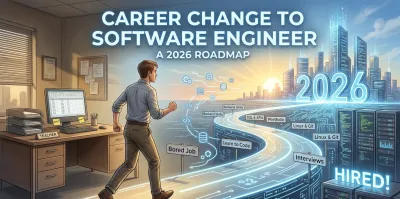
A lot of people arrive at software engineering from the same place. They are good at their current job, bored by it, underpaid for the amount of responsibility they carry, or tired of work that leaves no durable artifact behind.
They start learning to code at night. A few tutorials later, they hit the same question: is a career change to software engineer still realistic, or did they miss the window?
It is realistic. But the people who make it usually stop thinking like consumers of courses and start thinking like engineers. That shift matters more than the first language you pick.
Charting Your Course from Here to Hired #
The first mistake career switchers make is reducing software engineering to typing code. Code is the visible output. Engineering is the discipline underneath it.
If you are serious about this change, do not ask only, “Can I learn Python?” Ask harder questions.
Start with your real motivation #
Some motives hold up under stress. Some do not.
Good reasons include wanting a field with deeper problem-solving, enjoying building systems, wanting work with stronger progression, or looking for a profession with long-term demand. Weak reasons include chasing hype, assuming remote work is guaranteed, or believing a bootcamp certificate alone changes your career.
The long-term demand case is still strong. The U.S. Bureau of Labor Statistics projects 17% growth from 2023 to 2033 for software developers, quality assurance analysts, and testers, adding nearly 327,900 new jobs, compared with 3% growth for all occupations. That projection is cited in this industry summary on software engineering transition opportunities in 2025.
That does not mean easy. It means worth doing.

Audit the skills you already have #
Most career changers underrate what they bring with them. Employers do not hire junior engineers because they know everything. They hire people who can learn, communicate, and make sound decisions inside a team.
Look at your current work through an engineering lens:
- Problem decomposition: If you break large tasks into smaller pieces in operations, teaching, finance, healthcare, or logistics, you already use a core engineering habit.
- Stakeholder communication: Engineers spend a lot of time clarifying trade-offs, writing tickets, asking questions, and aligning with non-technical people.
- Project ownership: If you have ever coordinated timelines, handled ambiguity, or managed handoffs, you understand delivery pressure better than many fresh graduates.
- Process thinking: If your job involves checklists, quality control, escalation paths, or root-cause analysis, you are closer to engineering than you think.
Decide what kind of engineer you want to become #
Do not start with “I want to learn everything.” That is how people drift.
Pick a direction. Backend engineering is a strong path for career changers because it rewards structured thinking. You work with data models, APIs, testing, system behavior, and reliability. The learning curve is real, but the skills compound well.
Your advantage as a career switcher is not youth. It is judgment, patience, and the ability to connect technical work to business reality.
Accept the identity shift #
You are not just collecting technical skills. You are learning to think in systems.
That means asking different questions:
- What are the inputs and outputs?
- Where does state live?
- What breaks under load?
- How will another developer maintain this later?
- What is the simplest design that still survives change?
People who make a successful career change to software engineer usually stop chasing syntax tricks and start building durable habits. That is the point where progress accelerates.
Your Technical Blueprint for Backend Engineering #
Beginners often learn backend development as a shopping list. Python. SQL. APIs. Git. Docker. Cloud. That approach produces shallow knowledge and fragile confidence.
A backend engineer needs a mental model. Each tool solves a specific class of problems. If you learn the problem first, the tool choice starts making sense.
Python is a vehicle for thinking clearly #
Python is popular with career switchers for a good reason. It removes a lot of incidental complexity.
That matters early on. You want your attention on control flow, data modeling, and program design, not on wrestling with boilerplate. Python makes it easier to read code, change code, and explain code. Those are not beginner conveniences. They are professional advantages.
Use Python to learn these fundamentals well:
- Control flow: Conditions, loops, function boundaries
- Data structures in practice: Lists, dictionaries, sets, tuples
- Modules and packaging: How code is organized beyond a single file
- Error handling: How programs fail safely
- File and network I/O: How software interacts with the outside world
OOP matters when projects stop fitting in your head #
Object-oriented programming is often taught badly. Beginners get buried in terminology and miss the point.
OOP's core value is managing complexity. It gives you a way to group state and behavior so parts of a system remain understandable. You do not need to become dogmatic about classes. You do need to understand when encapsulation reduces chaos.
A good OOP learner can answer questions like these:
- Which object should own this behavior?
- What data should be private?
- Where is this class doing too much?
- Would composition be cleaner than inheritance?
If your codebase grows and every function touches everything else, you do not have a syntax problem. You have a design problem.
Data structures and algorithms are about trade-offs #
A lot of self-taught developers avoid this topic because it feels academic. That is a mistake.
Data structures and algorithms teach you to reason about cost. Not just runtime in the abstract, but the consequences of design choices. Why use a dictionary instead of a list lookup? Why does a queue fit one workflow and a stack another? Why does sorting before searching sometimes simplify the system?
You do not need to worship cleverness. You do need to understand trade-offs.
| Decision area | What to think about |
|---|---|
| Data lookup | Do you need fast key-based access or ordered traversal? |
| Memory use | Is the simpler structure wasteful for the workload? |
| Update pattern | Will data be inserted, deleted, or scanned often? |
| Interview readiness | Can you explain why your choice is appropriate? |
Linux, Git, and databases are not side topics #
These are core parts of the craft.
Linux teaches you that software runs in an environment. Files, permissions, processes, logs, environment variables, and shell commands stop being abstract once you deploy even a small service.
Git teaches change management. You are not just saving versions. You are creating a history that other developers can understand, review, and roll back.
Databases teach persistence and truth. Application code comes and goes, but your data model tends to outlive many rewrites. That is why sloppy schema design causes pain for years.
When learning databases, focus on these principles:
- Model the domain first: Tables and collections should reflect real entities and relationships.
- Design for query patterns: Store data according to how the application reads and writes it.
- Respect constraints: Validation in code is helpful. Constraints in the database are protection.
- Separate transactional needs from analytical needs: Not every storage problem is the same problem.
APIs and testing define professional backend work #
A backend engineer spends a lot of time making systems talk to each other. REST APIs remain one of the clearest ways to learn that skill.
A good API is not just a set of endpoints. It is a contract. It has clear resource naming, consistent response shapes, predictable error handling, and authentication boundaries that make sense.
Testing belongs in the design conversation from the beginning. When beginners skip testing, they usually write code that is hard to verify because it is tightly coupled and poorly separated.
If a piece of code is painful to test, inspect the design before blaming the testing framework.
Unit tests help isolate behavior. Integration tests check that parts work together. End-to-end tests verify workflows. Learn what each type is for. Do not use one kind to compensate for weak design elsewhere.
Learn current tools without becoming trend-driven #
You should understand modern AI tooling and LLMs, especially how backend systems call models, validate inputs, manage latency, and handle fallbacks. But do not let the novelty distract you from fundamentals.
The strongest candidates use new tools on top of solid architecture. They know how to structure services, persist data, expose APIs, and write maintainable code first.
If you want a grounded overview of the discipline and path, this guide on how to become a backend developer is useful because it frames the stack as a connected system rather than a pile of buzzwords.
Building Your Portfolio from Zero to Demo-Ready #
A portfolio should not be a scrapbook of random apps. It should show increasing judgment.
Hiring managers are not impressed because you built a to-do list. They care whether you can structure software, choose sensible abstractions, and explain why your design evolved the way it did.
Project one should be small and strict #
Start with a command-line application. That surprises people who want flashy projects, but it is the right move.
A CLI tool strips away frontend distractions. You have nowhere to hide. The code either models the problem clearly or it does not.
Good early project ideas include a personal finance tracker, a habit logger, a file organizer, or a simple book inventory tool.
What matters is what you practice:
- separating input, business logic, and output
- validating data
- organizing files into modules
- writing tests for key logic
- handling error cases without making the code unreadable
This first project teaches discipline.
Project two should introduce HTTP and persistence #
Now build a basic REST API. Keep the domain simple enough that you can reason about it, but real enough that the design matters. A task manager, recipe API, or issue tracker works.
At this stage, you should start making architectural choices that you can defend:
- How are routes organized?
- Where does validation happen?
- What shape do your responses take?
- How do you separate business logic from framework code?
- How do you represent errors?
Here, many learners discover the difference between “I got it working” and “I designed it well.”
A practical list of programming projects for beginners can help if you need ideas, but the important part is sequencing the projects so each one teaches a new layer of engineering judgment.
Project three should force you to model a real system #
Build something with users, permissions, and data relationships.
Examples:
- a support ticket backend
- an inventory service
- a lightweight CRM
- a study planner with user accounts and progress tracking
Once authentication enters the picture, your design decisions become more consequential. You have to think about ownership, authorization, session or token flow, and data boundaries.
That is good. Real software is full of boundaries.
Here is the progression I recommend:
| Project stage | What it teaches |
|---|---|
| CLI application | Logic, structure, testing, error handling |
| Simple API | HTTP, routing, serialization, persistence |
| Multi-user app | Auth, relationships, roles, maintainability |
| Integration-heavy app | External APIs, retries, failures, observability |
Project four should include integration and failure handling #
At this point, build something that talks to another service.
Maybe your app sends emails, pulls weather data, processes payments in a sandbox, summarizes content with an LLM, or imports records from a third-party API. At this stage, software starts behaving like production software. External dependencies fail. Data arrives malformed. Timeouts happen.
That is not a nuisance. That is the job.
Add these concerns deliberately:
- Retries with limits: not every failure should trigger endless repeat requests
- Logging: record enough context to debug without exposing sensitive data
- Configuration management: keep secrets and environment-specific settings out of source code
- Graceful degradation: define what the app does when a dependency is unavailable
A useful demo should explain the system, not just display it.
Your portfolio should read like a design narrative #
Every serious project needs a strong README. Include the problem, architecture, setup steps, trade-offs, and what you would improve next.
Use simple diagrams if they clarify the system. Document your API. Add tests. Keep commit history clean. Show that you understand software as an evolving system, not a pile of files.
A portfolio becomes convincing when each project teaches the reviewer something about how you think.
That is what turns a career change to software engineer from aspiration into evidence.
Mastering the Developer Workflow #
A surprising number of beginner portfolios collapse under one simple test. Another developer clones the repo and cannot run it.
That failure is not cosmetic. It signals weak engineering habits.
Build a development environment someone else can trust #
Your project should have a predictable setup process. That means clear dependencies, documented environment variables, seed data if needed, and a start command that works.
If your app needs hidden manual steps, fix that. Professional software favors repeatability.
A clean setup usually includes:
- Dependency definition: Use a requirements file or equivalent lock mechanism.
- Environment separation: Keep local settings distinct from production settings.
- Initialization scripts: Automate repetitive setup where possible.
- Readable docs: A new contributor should not guess how to run the project.
Use Git like a collaborator, not a backup drive #
Many learners know add, commit, and push. That is not enough.
Professional Git usage is about managing change in a way that helps review and reduces risk. Create branches for features. Keep pull requests focused. Write commit messages that explain intent, not just activity.
Bad commit message: “stuff fixed” Better commit message: “separate auth validation from route handlers”
The second one tells your future teammate what changed and why.
This guide on using Git for version control is worth reviewing if your current workflow is still linear and improvised.
Pull requests are where engineering becomes social #
A pull request is not paperwork. It is how teams reason together.
When you open a PR, include:
- what changed
- why it changed
- anything risky
- how to test it
- screenshots or request examples when useful
When you review someone else’s PR, comment on clarity, coupling, naming, test coverage, and edge cases. Good code review is specific and respectful. It focuses on the code and the maintainability of the system.
Learn the shape of CI and deployment #
You do not need to become a platform engineer on day one. You do need to understand the workflow.
Code changes should trigger automated checks. Tests should run before merge. Formatting and linting should be consistent. Builds should fail loudly when something important breaks.
A simple workflow looks like this:
- Write code in a feature branch.
- Run tests locally.
- Open a pull request.
- Let automated checks verify the branch.
- Merge only when the branch is reviewable and stable.
That process tells employers something important. You are not just capable of writing code. You understand how software gets shipped without damaging the team.
Decoding the Technical Interview Gauntlet #
The interview process is not a pure measure of engineering ability. It is its own game with its own failure modes.
A lot of career switchers prepare for the job and neglect preparation for the interview. That distinction matters more than people want to admit.
Why good learners still fail technical screens #
One career-switcher documented a funnel where 26% of total applications became phone screens, 51% of phone screens moved to technical screens or assignments, and only 28% of technical assessments became on-site interviews, for an overall 3.4% conversion from application to on-site. The author identified the main weakness as demonstrating technical skills in data structures and algorithms despite completing a bootcamp. That breakdown appears in this firsthand account of switching careers to become a software engineer in 11 months.
The lesson is blunt. Many learning paths prepare you to build projects but not to perform under technical evaluation.
Treat interview prep as a separate discipline #
Do not assume project work alone will carry you through coding rounds.
You need dedicated practice in:
- algorithmic pattern recognition
- writing under time pressure
- communicating your reasoning aloud
- reviewing edge cases before you finalize an answer
The same career-switcher account argues that successful candidates should spend 20% to 30% of preparation time on algorithms and data structures, not only project work. That is a useful benchmark because it reflects the gatekeeping reality of hiring, not the idealized version.
Learn patterns, not trivia #
Do not memorize a giant pile of solutions. That produces brittle recall.
Instead, organize problems by pattern:
- two pointers
- sliding window
- hash-based lookup
- stack-based parsing
- tree traversal
- graph search
- interval merge
- heap for top-k or priority behavior
When you solve a problem, ask:
- what signals this pattern?
- what brute-force approach would I reject first?
- what invariant makes the optimized version work?
- where are the edge cases?
That kind of preparation builds transfer.
Use a simple system design framework #
Backend interviews often include some level of system design, even for junior or career-switching candidates.
Keep your approach orderly:
| Step | What to do |
|---|---|
| Clarify requirements | Ask about users, traffic shape, consistency, and constraints |
| Define interfaces | Sketch endpoints, payloads, and major workflows |
| Model the data | Identify entities, relationships, and access patterns |
| Propose the architecture | Choose services, storage, queues, or caching only when needed |
| Discuss trade-offs | Explain simplicity versus scale, consistency versus speed |
Interviewers are often testing judgment more than scale wizardry. A smaller design with clear reasoning beats a bloated design copied from a blog post.
In interviews, clear trade-off thinking is usually more persuasive than trying to sound advanced.
Turn your projects into behavioral stories #
Behavioral rounds matter because teams hire people, not isolated coders.
Use your portfolio to tell stories about:
- a bug you diagnosed
- a design you refactored
- a feature you cut to keep scope under control
- a dependency failure you handled
- a disagreement you resolved through evidence
The STAR format helps, but keep it natural. Explain the situation, the decision you made, what trade-off you accepted, and what changed afterward.
Strong interview candidates do not present themselves as flawless. They present themselves as thoughtful, teachable, and reliable under uncertainty.
Your Strategic Job Search Playbook #
The worst job search strategy in this market is the most common one. Mass application, minimal tailoring, no relationship building, and no clear story.
That approach wastes time because the market is tighter than many old career-change success stories suggest.
Why spray-and-pray fails now #
As of 2025, software engineering job postings were at 65% of February 2020 levels and down 3.5x from the mid-2022 hiring peak, according to this write-up on software engineering job posting trends in 2025. The same source notes that new graduates accounted for 7% of Big Tech hires in 2025, with hiring shifting toward people who can show practical skill.
That changes the strategy. You do not win by looking generic at scale. You win by looking credible in a focused set of opportunities.
Translate your past into engineering language #
Your old career is not irrelevant. It is raw material.
Rewrite your resume around evidence of:
- ownership
- ambiguity management
- process improvement
- cross-functional communication
- analytical reasoning
- documented outcomes
If you worked in operations, emphasize reliability and workflow optimization. If you taught, emphasize explanation, curriculum building, and stakeholder communication. If you worked in healthcare, emphasize precision, compliance awareness, and decision-making under pressure.
The point is not to pretend your old role was software engineering. The point is to show that you already behaved like a professional inside complex systems.
Build a narrow target list #
Pick company categories that match your profile:
- internal tooling teams
- SaaS companies with strong backend products
- healthtech, fintech, logistics, or operations-heavy businesses
- teams that value domain knowledge from your previous industry
Then tailor applications with intent. Reference the product. Mention relevant architecture or domain alignment. Link the project that best matches the role.
A targeted search is slower, but the conversations are better.
Treat LinkedIn and GitHub as proof surfaces #
Your LinkedIn should make your transition legible. Use a headline that states your target role. Keep the summary practical. Pin projects that show backend competence.
Your GitHub should not look like a junk drawer. Keep top repositories polished. Add README files, tests, setup instructions, and commit history that reflects care.
Use timelines that fit your life #
A career change to software engineer does not need to follow one template. A full-time learner and a working parent should not plan the same week.
| Milestone | Aggressive Path (6 Months, 25-30 hrs/week) | Balanced Path (12 Months, 10-15 hrs/week) |
|---|---|---|
| Fundamentals | Month 1 | Months 1-3 |
| Backend core skills | Months 2-3 | Months 4-6 |
| Portfolio build | Months 3-4 | Months 7-9 |
| Interview prep | Month 5 | Months 10-11 |
| Job search | Month 6 | Month 12 |
These are planning shapes, not guarantees. The useful part is sequencing your effort instead of drifting between random tutorials, half-finished projects, and anxious applications.
FAQs for Your Engineering Career Change #
Am I too old to switch into software engineering #
No. Teams care whether you can learn, communicate, and contribute. Maturity often helps, especially when work involves trade-offs and collaboration.
Do I need a computer science degree #
No. A degree can help, but it is not the only path. A strong portfolio, solid fundamentals, and the ability to explain your decisions matter a lot.
What if I feel behind compared with younger candidates #
You probably are behind in some areas and ahead in others. Younger candidates may have fresher academic exposure. You may have stronger judgment, ownership, and communication. Use the strengths you have.
How do I stay motivated when progress feels slow #
Use structure instead of mood. Work on a schedule. Build one meaningful project at a time. Review what you understand now that used to confuse you. Progress in engineering often feels invisible until it compounds.
What should I focus on if I can only do a few things well #
Prioritize fundamentals, project quality, workflow habits, and interview preparation. That combination is more durable than chasing every new framework.
If you want a structured path into backend engineering, Codeling is worth a look. It focuses on hands-on Python, object-oriented programming, data structures, Git, Linux, REST APIs, testing, and modern AI engineering through interactive exercises and portfolio-ready projects, which is exactly the kind of practice that helps career switchers build real evidence of skill.